

 Shimul Chowdhury
Introduction: AIDA – Attention & Interest
Is your WordPress website a lead-generating powerhouse, or a data-collecting silo?
For countless businesses, the answer is the latter, and it’s a frustrating reality. You spend time and money driving traffic, crafting compelling content, and optimizing your site for conversions. The leads come in, but then what? A chaotic, manual process begins: copying data from form submissions into a spreadsheet, manually adding contacts to an email list, and trying to remember who said what and when. This disjointed workflow isn’t just inefficient; it’s a silent drain on your revenue, time, and team morale. This is the exact pain point that a proper WordPress CRM integration is designed to solve.
The problem, in essence, is that your website and your CRM—your two most critical business tools—are operating as “digital islands.” They are disconnected and working against each other instead of together. At Zeireed, we believe a seamless WordPress CRM integration is far more than just installing a simple plugin. It’s a strategic business decision that allows you to create a flawless, interconnected digital ecosystem for long-term growth and scalability.
In this comprehensive guide, we’ll walk you through our proven framework for building a cohesive online operation. We’ll demystify the strategic “why” behind WordPress CRM integration, show you how to choose the right tools for your business, and provide a clear, 10-step blueprint to ensure a flawless setup that fuels your growth for years to come. A successful WordPress CRM integration can transform your business, and this guide will show you exactly how to achieve it.
Beyond the Plugin: Why Strategic Integration is a Business Imperative

You’ve likely seen countless plugins promising a one-click solution for integrating your WordPress site with a CRM. While these can be a starting point, they often fall short of building a truly functional, future-proof system. To understand why, you must look at CRM integration not as a technical task, but as a business imperative. It’s about building a digital foundation that empowers every department to work more effectively. A strategic WordPress CRM integration is the foundation of a scalable business.
The Cost of a Disconnected Workflow
The pain of a siloed website is real and measurable. Manual data entry is not only tedious, but it’s also highly prone to human error, which can lead to bad data, duplicate contacts, and lost opportunities. Your sales team loses valuable time transcribing information, time that could be spent actively closing deals. The customer experience becomes disjointed, as follow-ups are inconsistent and personalized communication is nearly impossible. Without a proper WordPress CRM integration, valuable lead data can get lost forever.
According to a survey by PR Newswire, 70% of companies struggle to effectively integrate their sales plays into their CRM and other revenue technologies. This lack of a solid WordPress CRM integration can directly impact the bottom line by creating friction at every stage of the customer journey, from initial contact to post-purchase support. When a lead fills out a form but the data isn’t immediately accessible to the sales team, the window of opportunity shrinks, often to the point of extinction. A proper WordPress CRM integration fixes this, instantly.
The Jobs-to-be-Done Framework for Integration
Instead of just linking a form to a database, think about the specific “Jobs-to-be-Done” for your business. A strategic WordPress CRM integration is the tool that accomplishes these critical jobs.
- “I need to automate my lead nurturing.” A smart CRM integration ensures that when a new lead fills out a contact form on your WordPress site, they are not only automatically added to your CRM but are also immediately enrolled in a personalized email nurturing sequence. No manual data entry, no missed opportunities. The system works for you, 24/7. This level of automation is the core benefit of WordPress CRM integration.
- “I need a single source of truth for all customer data.” A properly integrated system centralizes all customer information in the CRM. This includes data from WordPress forms, purchase history from your WooCommerce store, support tickets, and even website behavioral data captured via tools like HubSpot. This “single source of truth” gives every department—sales, marketing, and support—a complete, unified view of the customer, enabling truly personalized interactions. This is the power of a comprehensive WordPress CRM integration.
Understanding the EEAT+ Framework in Web Development
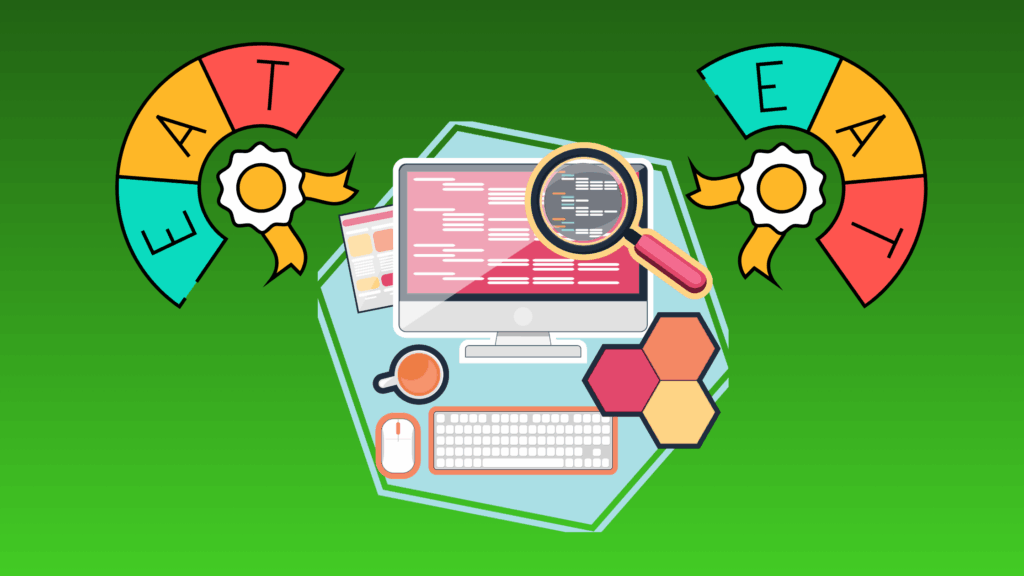
In today’s digital landscape, the success of your website is measured not just by traffic, but by how it demonstrates Expertise, Experience, Authoritativeness, and Trust (EEAT). A well-integrated site bolsters this framework:
- Expertise: By offering valuable resources like whitepapers or gated content, you demonstrate expertise, and the WordPress CRM integration ensures you capture the user data correctly and securely.
- Experience: Smooth, interactive forms and a quick, personalized follow-up process create a superior user experience, signaling that you are a professional and organized company. This is a direct result of a well-executed WordPress CRM integration.
- Authoritativeness: When your website seamlessly interacts with authoritative CRMs and payment gateways, it signals to both users and search engines that you are a legitimate, professional operation. A professional WordPress CRM integration elevates your business’s credibility.
- Trust: Secure data handling and a clear, automated communication process build trust with your audience, which is paramount in the modern business world. A secure WordPress CRM integration is essential for building and maintaining trust.
We also add an “+Engagement” layer. A properly integrated website allows you to measure and optimize user engagement at every touchpoint, from the initial form fill to post-purchase surveys. This rich, continuous data flow, enabled by WordPress CRM integration, gives you the insights needed for continuous improvement and a higher level of customer satisfaction.
The Zeireed Integration Framework: Our 10-Step Blueprint

At Zeireed, our approach to WordPress CRM integration is systematic and robust. It’s a proven framework designed to eliminate guesswork and deliver a solution that works flawlessly from day one. This is our blueprint for a perfect WordPress CRM integration.
Step 1: The Discovery & Strategy Phase
The most critical step in any project is the one that happens before a single line of code is written. We begin with a deep dive into your business to understand your unique goals, pain points, and existing workflows. What are your sales processes? What data do you need to capture? What are your key performance indicators (KPIs)? Are you trying to track marketing qualified leads (MQLs) or sales qualified leads (SQLs)? Getting the strategy right at the start is key. This initial session is the most impactful step in any WordPress CRM integration project
This is where we define the “why” of your CRM integration. We’ll help you identify the right CRM for your business size and growth goals, whether it’s a powerhouse like Salesforce, a user-friendly option like HubSpot, or a niche solution like Zoho. This phase is all about building a strategic roadmap to ensure your WordPress CRM integration delivers real business value.
Step 2: Finding Your Ideal Business Toolkit
With a clear strategy in place, we move on to tool selection. This is a crucial step in building a scalable solution. The wrong tool can lead to costly re-platforming down the line, while the right tools can grow with you.
- CRM Selection: Your CRM is the heart of your operation. We’ll help you choose a platform based on your budget, team size, and feature requirements.
- HubSpot: Ideal for small to mid-sized businesses looking for a robust, all-in-one marketing, sales, and service hub with user-friendly dashboards. Its seamless WordPress integration makes it a top choice for lead management.
- Salesforce: The industry leader for enterprise-level businesses with complex, customized sales processes. While more complex, its power and flexibility are unmatched for large-scale operations.
- Zoho: A comprehensive suite of business tools that provides excellent value for money. It’s perfect for businesses that need to integrate not just a CRM, but also accounting, project management, and other tools.
- Pipedrive: Perfect for sales teams that need a highly visual and intuitive pipeline management tool, focused on the sales process itself.
- HubSpot: Ideal for small to mid-sized businesses looking for a robust, all-in-one marketing, sales, and service hub with user-friendly dashboards. Its seamless WordPress integration makes it a top choice for lead management.
- WordPress Tools: The beauty of WordPress lies in its flexibility. We favor plugins that provide rock-solid integration capabilities, such as Gravity Forms for its powerful CRM add-ons and robust field mapping, or Elementor Pro’s native integration features. We also work with custom solutions to connect any WordPress form to any CRM, ensuring your WordPress CRM integration is completely tailored to your needs. For a deeper dive into choosing the right CRM for your specific needs, we recommend this guide from a trusted source: How to Choose the Right CRM for Your Business.
Step 3: Architecting the Connection (The Technical How-To)
This is where the magic of WordPress CRM integration happens. Based on your strategic blueprint, we architect the technical connection. There are two primary methods we employ:
- Direct API Integration: We build a direct connection between your WordPress site and your CRM’s API. This is the most robust and secure method, allowing for a precise, two-way data flow. It’s perfect for complex integrations that require custom logic, such as updating a contact’s record in real-time when they download a new whitepaper from your site. A custom API WordPress CRM integration offers the most flexibility.
- Third-Party Connectors: For more straightforward integrations, we leverage powerful third-party tools li
- ke Zapier or Make.com. These tools act as a bridge between you and your CRM, allowing you to create automated workflows (called “Zaps” or “Scenarios”) without extensive custom code. This is a flexible and efficient option for connecting a wide range of tools for your WordPress CRM integration.
Regardless of the method you choose, the key to success is accurate data mapping. This process ensures that data from your WordPress forms is correctly routed and mapped to the corresponding fields in your CRM. Without careful data mapping, your data becomes a mess of inaccurate or incomplete records, negating the entire purpose of the CRM integration.
How-To Schema for Search Engines:
To help search engines understand the step-by-step nature of this technical section, we recommend implementing HowTo schema markup. This code, placed in the <head> of the page, will explicitly tell Google that this section contains actionable, step-by-step instructions. By implementing this, you can generate rich snippets in search results, which often leads to a higher click-through rate.
Step 4: The Build, Test, and Quality Assurance Phase
An integration is only as good as its weakest link. Once the connection is established, our comprehensive testing process begins. We run a series of tests to ensure the data flows correctly under every possible scenario, from a standard form submission to an error-prone one. This is a crucial phase for achieving a successful WordPress CRM integration.
Did you know that up to 67% of site visitors will abandon a form forever if they encounter any complications? This stat highlights the importance of thorough testing. We test for:
- Data Integrity: Is all data being transferred correctly, including custom fields?
- Error Handling: What happens if a user submits an incomplete form? Is an error message displayed? Does the CRM still get the partial data?
- Speed & Performance: Does the integration cause any lag or slow down your website?
- User Experience: Is the process of filling out a form smooth and intuitive?
Our meticulous QA process ensures that every part of your new ecosystem works exactly as intended, providing a flawless experience for both your team and your customers. This rigorous process is a key part of our service and ensures your WordPress CRM integration is a success.
Step 5: Post-Launch Support & Optimization
Launching your integration is just the beginning. The digital landscape is always evolving, and your business needs will change. That’s why Zeireed provides comprehensive post-launch support and optimization services.
We don’t just hand over a project and walk away. We monitor the integration’s performance, look for opportunities to streamline workflows, and ensure it remains healthy and aligned with your business goals. This ongoing partnership is what truly sets us apart, guaranteeing the longevity and continued success of your digital ecosystem. For more on our commitment to long-term success, see our article on Why Your Website Needs a Maintenance Plan.
People Also Ask (FAQ Section for Zero-Click Search)
This section addresses common queries directly, providing clear, concise answers that help position Zeireed as an authority in this space. These are the questions we hear most often about WordPress CRM integration.
What is the most effective method for integrating a CRM with WordPress?
The “best” way depends entirely on your business. For small businesses with straightforward needs, a dedicated plugin like the HubSpot or Salesforce WordPress plugin can be a great, cost-effective solution. For businesses with complex sales processes or multiple data sources (e-commerce, support tickets, etc.), a custom API integration or a connector like Zapier is often the best approach to ensure a seamless, scalable data flow. Zeireed’s discovery process is designed to help you determine the most effective method for your unique situation. We eliminate the uncertainty from your WordPress CRM integration.
Is a custom developer needed for WordPress CRM integration?
You may not need a custom developer if your needs are simple—for example, if you just need a contact form to create a new contact in your CRM. However, for any advanced logic—like conditional data mapping, syncing two-way data, or integrating multiple services (e.g., WordPress, an e-commerce platform, and a CRM)—a custom developer is highly recommended. Zeireed’s team specializes in this complex work, ensuring the integration works perfectly and is built to handle future growth. The value of an expert WordPress CRM integration can’t be overstated.
What determines the cost of a WordPress and CRM integration?
The cost of WordPress CRM integration can vary widely based on the complexity of the project. A basic plugin-based integration can be free, while a sophisticated, custom API solution can run into thousands of dollars. Factors that influence the price include the number of fields to map, the complexity of the data flow, the need for custom logic, and the level of post-launch support required. A free consultation with the Zeireed team can provide a clear, accurate quote tailored to your specific needs.
Conclusion: AIDA – Desire & Action
Your website should do more than just look good; its purpose is to be a powerful tool that works hard for your business. A strategic CMS-to-CRM setup is the engine that drives a modern digital operation, saving you time, eliminating manual errors, and preventing lost leads from slipping through the cracks. It’s about turning your website from a “digital island” into a central hub of your entire business. A flawless WordPress CRM integration is the key to unlocking this potential.
Instead of working against each other, your website and CRM should work together seamlessly. Schedule a free consultation with the Zeireed team today to discuss your unique WordPress CRM integration needs. Let’s build a truly connected digital ecosystem for your business.