

Zeireed for WooCommerce ( Wumate )
Documentation Guide
Control WooCommerce shop and single product elements without editing theme files.
Installation
1. Go to Plugins → Add New
2. Click Upload Plugin
3. Upload the ZIP file
4. Click Activate
Plugin Overview
The plugin contains three main sections:
- General
- Shop
- Single Product
All changes apply immediately after clicking Save Changes.
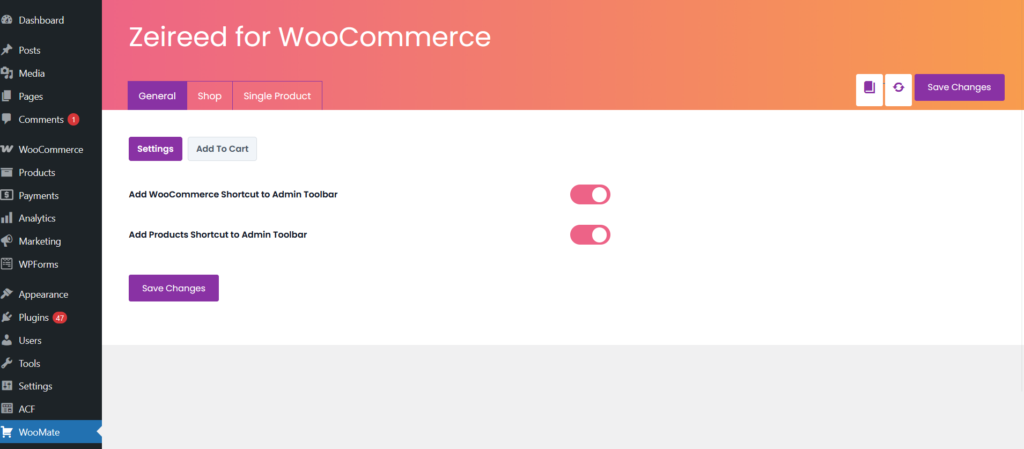
General Settings
Admin Toolbar Shortcuts
- WooCommerce Shortcut
- Products Shortcut
- Dynamic Admin Links
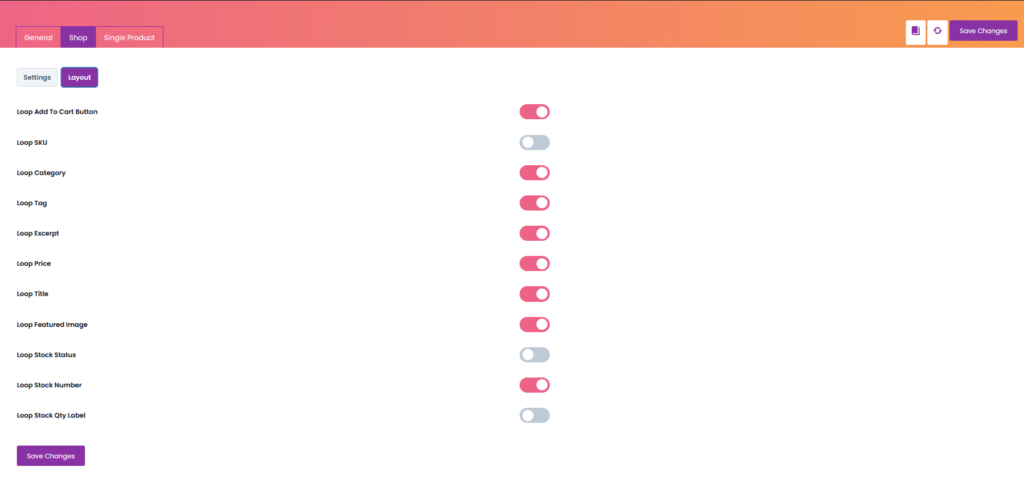
Shop Settings
Layout Options
- Products Per Page
- Product Columns
- Disable Product Count
- Disable Sorting
Loop Elements
- Loop Image
- Loop Title
- Loop Price
- Loop SKU
- Loop Category
- Loop Add To Cart
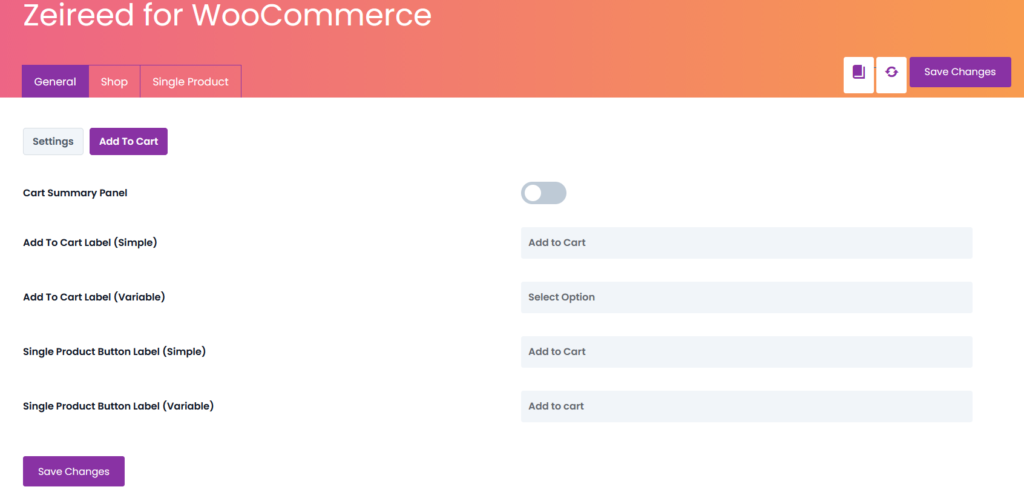
Add To Cart Settings
Archive Page
- Simple Product Label
- Variable Product Label
Single Product Page
- Custom Button Label
- Cart Summary Panel
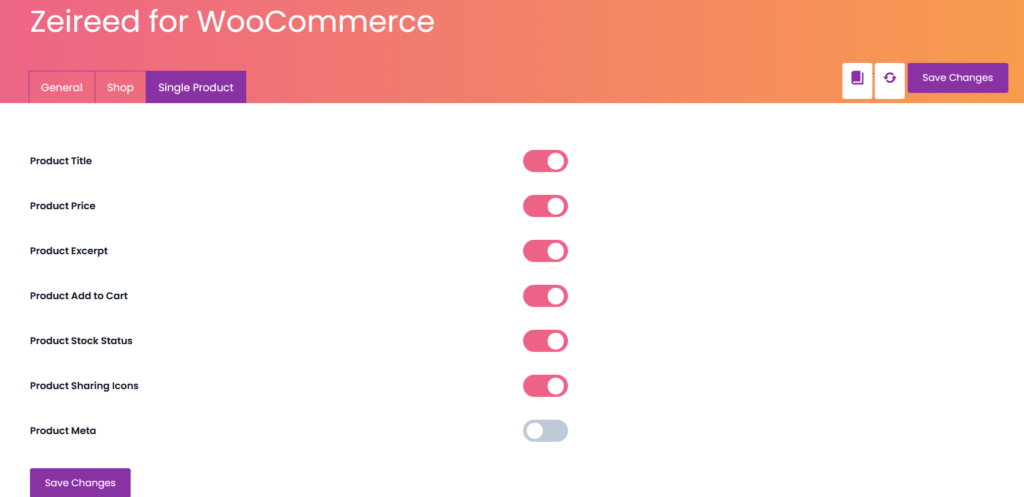
Single Product Settings
- Product Title
- Product Price
- Short Description
- Add To Cart Button
- Stock Status
- Product Meta (SKU, Categories, Tags)
- Sharing Icons
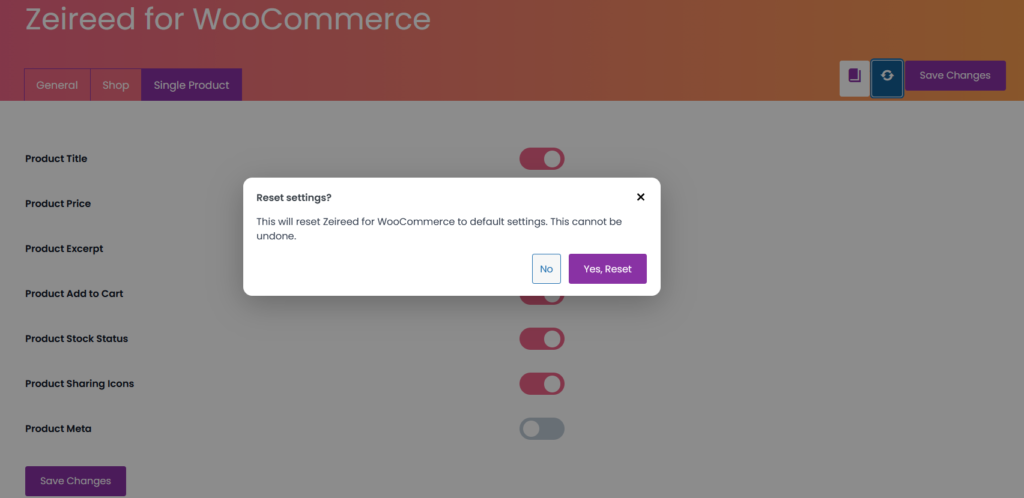
Reset Settings
Warning: Reset restores all plugin settings to default values and cannot be undone.
Performance & Compatibility
Lightweight
No Template Overrides
Hook-Based Architecture
Safe for Theme Updates
Upcoming Features
- Cart & Checkout Controls
- Import / Export Settings
- Role-Based Visibility
- Advanced Styling Controls