

 Shimul Chowdhury
WordPress Speed Optimization
A question many website owners ask is, “How do you speed up your WordPress site?”
No one likes to wait for a slow site to load in this fast-paced digital world. Fast-loading web pages have become a necessity. They keep the clients and visitors engaged, grow your website, improve your page views, and help your WordPress SEO. The solution for this problem is WordPress Speed Optimization. By optimizing your WordPress you can achieve good performance in your website.

Why Speed Is Important For Your Site
Human attention is a very fragile thing. An average human attention span is estimated to be around 8.25 seconds on average.
This is a thing you need to focus on as a business owner. You have little time to show your content to your site visitors and convince them to stay on your WordPress website.
A slow website will make your potential customers or visitors leave before it loads.
Recently, Google and other search engines have made a decision to penalize slower websites by making them rank down in search results. This means that slower websites will be getting less traffic. If you want to generate more revenue from your website, and get traffic then you have to make your website fast for that WordPress Speed Optimization has become a necessity.
How to Check Your WordPress Website Speed
Often people think their website loading speed is okay just because it doesn’t slow down on their computer. This is a big misconception. Since you frequently visit your site browsers store the data in the cache which makes your website load instantly. For effective WordPress Speed Optimization, start by assessing your site’s current speed using reliable tools.
You can check your website’s speed by installing a speed checker plugin such as IsltWp.
A good load for websites is considered to be under 2 seconds. A few milliseconds of improvements here and there can affect your website’s loading time by a lot.
Importance of WordPress Hosting
One of the most fundamental aspects of WordPress Speed Optimization is choosing the right Hosting provider.
WordPress hosting service plays a vital role in a website’s overall performance. If you are using shared hosting then you are sharing the server resources with people who use the same hosting. That means if your neighboring site gets a lot of traffic, then it can impact the entire server’s performance. Which in turn will slow down your website by a lot.
But, if you use a managed WordPress hosting service it will give you the most optimized server configurations for WordPress. It offers you automatic backups, advanced security, and automatic WordPress updates. It can give you more time to focus on the content rather than focusing your full time on the website.
Install a WordPress Caching Plugin
Caching is yet another powerful tool in your WordPress Speed Optimization toolkit.
When someone visits your WordPress website page, it runs a process to find the information you need. As a result, it slows down your website loading speed by a lot.
As this process involves a lot of steps, when many people visit your website together your website slows down.
The way to fix this problem is to use a good cache-clearing plugin. It is proven that clearing cache can make your website 2x to 5x faster.
As loading a site involves many processes, using caching software will help your page skip this long process and make a copy of the page after the first load. As a result, WordPress Speed Optimization comes in and makes your website’s loading speed fast.
Optimize Images for Speed
Images can bring a life-like feeling to your website. It keeps the visitors engaged and makes the content more interesting. It helps to boost the engagement.
However, many beginners make the mistake of not optimizing their images before uploading content. It slows down your website more. Non-optimized images are one of the main reasons for slower loading sites.
Before uploading an image on your website we recommend you to resize your image by using any image compression software. We suggest you keep your images in jpeg format as it is good for optimizing your image.
JPEG images are a compressed file that takes less storage and make the quality of the image slightly bad. However, it is the best option if you are using a vibrant image for your website.
Use a Theme Optimized for Speed
Everyone loves an elegant website theme. But you have to know that those flashy and beautiful websites are most of the time poorly coded and one of the main reasons your website is slow.
Rather, you can choose a simple-looking theme and use plugins to add features to make your website like those elegant websites. It is a lot faster than those themes.
There are some good WordPress theme stores that have well-coded and optimized themes that take your website to the next level. For example Astra, Themify etc
Eliminate Bloated Plugin
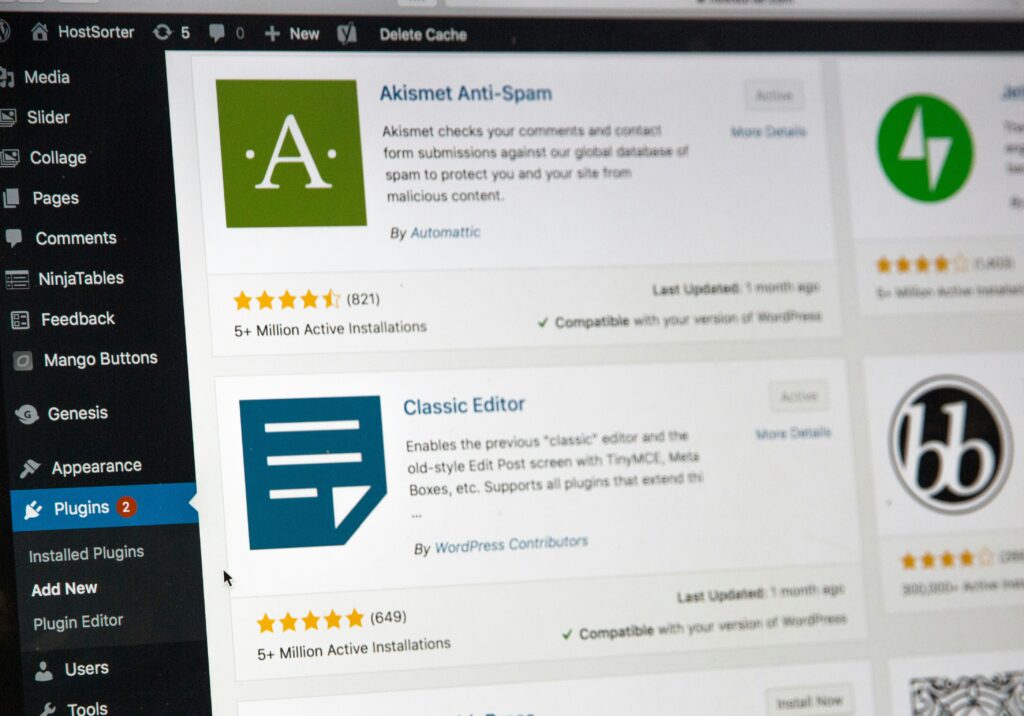
Plugins add many features to your website. It can be very tempting to install tons of plugins because of that. But you have to know that not every plugin is well-coded. Some plugins are bloated and make your website speed slow.
To solve this, you can run your speed checker software before and after activating the plugin. Then you can understand which plugins are bad for your website.
Plugins can enhance the performance of your website and it can even cause performance issues.
WordPress Updates
WordPress regularly gives updates to the user. It makes your WordPress website’s security tighter, fixes errors, and improves the overall functionality of your website. You should regularly update your WordPress.
Using Slider for Header
Even though it looks good to have a slider as a header. It has the worst impact on your site’s performance. It is better to have a normal header that gives you more speed rather then a slider that takes away your websites performance.
Use Content Delivery Network (CDN)
CDN allows you to distribute your website load to multiple servers allowing your website to run fast. It speeds up your content delivery speed. Another reason to use CDN is that it gives you access to worldwide customers without lowering your website speed. It shares data, and content much faster and makes your website lag-free. Distance content transfer causes users to feel lag from your website.
If one of your clients is located in another country it takes for the content, images, and files to load for him. So, it’s important to use CDN to improve your website’s performance.
Don’t Upload Video or Audio Directly on WordPress
WordPress has an option where you can directly upload your video or audio on your website. But it causes your website to slow down a lot.
Hosting video or audio can charge you overage fees by your hosting company.
You have a better option which is you can upload your videos on YouTube and then link your channel to your website. It takes less space and doesn’t make your website slow. You can also use the hosting services of YouTube, Dailymotion, and SoundCloud.
Conclusion
These are some of the most effective tips you can use to improve your website’s speed. These are the tasks you should definitely do on your website to boost the speed of your site by 3x. By implementing these WordPress Speed Optimization tips, you can significantly enhance your website’s performance and user experience.
Want to know how to rank higher on google? Click here
Want to know Why you should use WordPress? Click here