

 Shimul Chowdhury
What Is HTML and Why It’s the Foundation of Web Development
HTML Web Development refers to the process of building the structural layer of every website using HTML — HyperText Markup Language. It’s not a programming language but a markup language that defines the content, layout, and hierarchy of web pages. In simple terms, HTML gives a website its skeleton, while CSS adds style, and JavaScript brings interactivity.
When you open any webpage — from a blog post to an e-commerce site — what you’re really viewing is HTML code rendered by your browser. It tells the browser what each part of the page represents:
- <h1> defines headings,
- <p> defines paragraphs,
- <img> embeds images,
- <a> creates links, and so on.
Without HTML, browsers wouldn’t know how to display text, images, buttons, or links — which is why HTML Web Development is considered the foundation of modern web creation.
Every web technology — including frameworks like React, Vue, or even CMS platforms like WordPress — still relies on HTML as its final output layer. No matter how advanced web tools become, they all compile down to clean, accessible HTML that browsers can interpret.
In 2025, HTML Web Development has evolved beyond basic page building. Developers now focus on:
- Semantic HTML (using meaningful tags like <article> or <section> to improve SEO and accessibility)
- Responsive design (ensuring layouts adapt seamlessly across devices)
- Performance optimization (structuring HTML to support faster loading and better Core Web Vitals scores)
That’s why mastering HTML Web Development is the first — and most essential — step toward becoming a web developer. It lays the groundwork for everything that follows: styling with CSS, scripting with JavaScript, optimizing for search, and crafting user-friendly digital experiences.
Basic HTML Structure Explained (with Example Code)
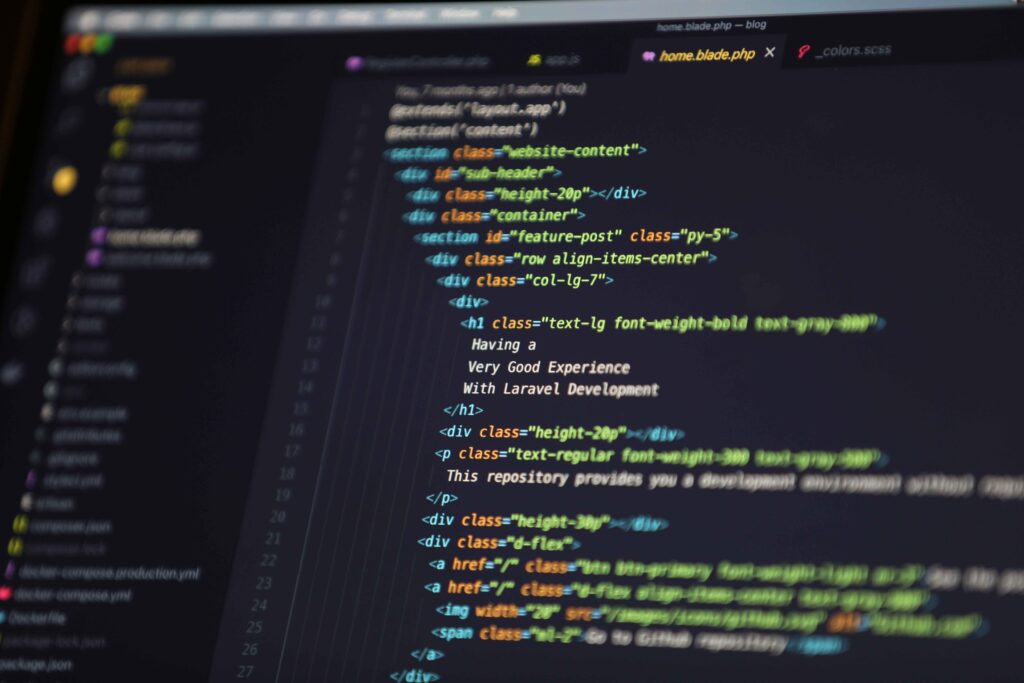
Now that you know what HTML Web Development is all about, let’s take a look at how a basic web page is actually built.
Even though websites today can look complex — with animations, interactive features, and rich visuals — they all begin with the same simple foundation: a basic HTML structure.
Think of it like building a house:
🏠 HTML forms the structure (walls, rooms, and layout),
🎨 CSS adds color and design,
⚙️ JavaScript brings everything to life with movement and logic.
Here’s what the simplest HTML file looks like 👇
<!DOCTYPE html>
<html lang=”en”>
<head>
<meta charset=”UTF-8″ />
<meta name=”viewport” content=”width=device-width, initial-scale=1.0″ />
<title>My First Web Page</title>
</head>
<body>
<h1>Welcome to HTML Web Development!</h1>
<p>This is my first webpage built using HTML.</p>
<a href=”https://zeireed.com”>Visit Zeireed</a>
</body>
</html>
Let’s break this down step-by-step so you understand what’s happening:
1️⃣ <!DOCTYPE html> — This line tells the browser that this document uses HTML5, the latest version of HTML.
2️⃣ <html> — This tag wraps around the entire page content. It’s the root element of every HTML document.
3️⃣ <head> — Contains meta-information like your page title, description, and links to stylesheets or scripts.
4️⃣ <title> — This is what shows up in the browser tab and search results — make it descriptive for good SEO.
5️⃣ <body> — The main visible part of your web page. Everything users see — headings, text, links, images — lives here.
6️⃣ <h1>, <p>, and <a> — These tags represent your content:
- <h1> is your headline,
- <p> is a paragraph,
- <a> creates a clickable link.
Even this small example demonstrates the power of HTML Web Development — with just a few lines of code, you’ve structured an entire web page that any browser in the world can display.
Why This Structure Matters
- It helps search engines understand what your page is about (crucial for SEO).
- It ensures accessibility for screen readers and assistive technologies.
- It creates a clean, scalable base for adding CSS and JavaScript later.
By mastering this simple pattern, you’ll be able to expand into more advanced parts of HTML Web Development, like forms, tables, multimedia, and even building full layouts.
Pro Tip from Zeireed
Before you dive into complex tools or frameworks, get comfortable writing HTML from scratch.
It builds the kind of deep understanding that makes every future step — from designing responsive pages to optimizing SEO — so much easier.
How HTML Works with CSS and JavaScript in Web Development
Now that you understand the basic structure of a webpage, let’s talk about how HTML Web Development connects with the other two key pillars of front-end design: CSS and JavaScript.
If HTML is the skeleton of your website, then CSS is its skin and style, and JavaScript is the brain that makes it think and move. Together, these three form the foundation of everything you see and interact with online.
Here’s a simple way to visualize it 👇
| Language | Purpose | Example |
| HTML | Defines the structure and content | Headings, paragraphs, images, links |
| CSS | Adds styling and layout | Colors, fonts, spacing, animations |
| JavaScript | Adds interactivity and behavior | Buttons, sliders, pop-ups, form validation |
When you master HTML Web Development, you’re essentially learning how to build the bones of the web — the part that gives every site its shape and logic. Then, CSS steps in to make your page visually appealing, while JavaScript lets you add features like dropdown menus, live chat boxes, or form validations that respond to user actions.
Example: Bringing HTML, CSS, and JavaScript Together
Here’s a super simple example to show how they all work hand-in-hand:
<!DOCTYPE html>
<html lang=”en”>
<head>
<meta charset=”UTF-8″ />
<title>HTML Web Development Example</title>
<style>
body { background-color: #f9f9f9; text-align: center; }
button { padding: 10px 20px; font-size: 16px; cursor: pointer; }
</style>
</head>
<body>
<h1>Welcome to HTML Web Development!</h1>
<p>Click the button below to see JavaScript in action.</p>
<button onclick=”sayHello()”>Click Me</button>
<script>
function sayHello() {
alert(“You’re learning how HTML, CSS, and JavaScript work together!”);
}
</script>
</body>
</html>
HTML structures the page.
CSS gives it clean styling.
JavaScript adds a simple interaction.
That’s the heart of HTML Web Development — combining structure, style, and functionality to create a complete digital experience.
Why This Combination Matters
- Performance: A well-structured HTML file helps pages load faster and boosts Core Web Vitals — something Google values highly for SEO.
- Accessibility: Semantic HTML and clean CSS make your site usable for everyone, including users with assistive technologies.
- Scalability: When you follow best practices in HTML Web Development, your code stays cleaner and easier to maintain as your project grows.
- Search Engine Optimization: HTML provides the hierarchy search engines use to understand your content — meaning better chances of ranking and getting featured snippets.
Pro Tip from Zeireed
Start small. Build a simple web page using just HTML, then gradually layer on CSS and JavaScript. This bottom-up learning method gives you a solid understanding of how websites truly work — a must-have skill for anyone pursuing HTML Web Development in 2025 and beyond.
Common Mistakes Beginners Make in HTML Web Development (and How to Avoid Them)
Learning HTML Web Development is exciting — you start writing a few lines of code and suddenly you’ve created something that lives on the internet!
But just like learning any new skill, beginners often fall into small traps that can make their code messy, their pages slow, or their websites look broken.
Don’t worry — these are all easy to fix once you know what to watch out for 👇
- Forgetting the DOCTYPE Declaration
Mistake: Not including <!DOCTYPE html> at the top of your HTML file.
Why it matters: Without it, browsers can switch into quirks mode, causing layout and styling bugs.
✅ Fix: Always start your document with:
<!DOCTYPE html>
Missing or Misusing the <head> Section
Mistake: Skipping the <head> section or leaving it empty.
Why it matters: The head contains your metadata, SEO info, and links to styles or scripts — it’s vital for search engines and performance.
✅ Fix: Always include <title>, <meta charset=”UTF-8″>, and <meta name=”viewport”> in your head.
Not Using Semantic Tags
Mistake: Using <div> for everything.
Why it matters: Semantic tags like <header>, <nav>, <article>, and <footer> make your HTML easier to read and improve accessibility and SEO.
✅ Fix: Use meaningful tags — they help both users and search engines understand your structure.
Poor Indentation and Formatting
Mistake: Writing all code in one line or not organizing nested elements.
Why it matters: Poorly formatted code is harder to debug and maintain.
✅ Fix: Indent consistently (2 or 4 spaces). It makes your HTML cleaner and more professional.
Forgetting to Close Tags
Mistake: Leaving tags like <p> or <div> unclosed.
Why it matters: It can break layouts and confuse browsers, especially when adding CSS or JavaScript later.
✅ Fix: Always close your tags, or use self-closing tags where needed (e.g., <img />).
Using Inline Styles Instead of CSS
Mistake: Writing styles directly inside your HTML elements like <p style=”color:red;”>.
Why it matters: It clutters your code and makes updates harder later.
✅ Fix: Keep your HTML clean — use external CSS files for styling.
Ignoring Accessibility
Mistake: Not adding alt attributes to images or forgetting labels on forms.
Why it matters: Accessibility is a major part of modern HTML Web Development — everyone should be able to use your site.
✅ Fix: Always include descriptive alt text and ensure keyboard navigation works smoothly.
Overlooking Mobile Responsiveness
Mistake: Designing only for desktop screens.
Why it matters: Most visitors now browse on mobile — broken layouts can drive them away.
✅ Fix: Add this tag inside your <head> to make your design mobile-friendly:
<meta name=”viewport” content=”width=device-width, initial-scale=1.0″>
Forgetting the Title Tag
Mistake: Not giving your page a title or using something generic like “Untitled Page.”
Why it matters: The title is what appears in search results and browser tabs — it’s key for SEO.
✅ Fix: Write clear, keyword-rich titles like “Getting Started with HTML Web Development.”
Not Testing on Multiple Browsers
Mistake: Assuming your page looks the same everywhere.
Why it matters: Different browsers can render HTML slightly differently.
✅ Fix: Always preview your site on Chrome, Firefox, Edge, and Safari before publishing.
Final Tip from Zeireed
Every professional once made these same beginner mistakes — what matters is that you learn from them early.
By writing clean, semantic, and responsive code, you’ll set yourself apart as someone who truly understands HTML Web Development, not just how to copy-paste examples.
When your HTML is strong, everything else — CSS, JavaScript, SEO, and even performance — falls perfectly into place.
Why Mastering HTML Web Development Is Still Essential in 2025 (Even with AI Builders)
In today’s world of drag-and-drop website builders and AI-powered tools, many beginners wonder, “Do I really need to learn HTML anymore?”
The short answer? Absolutely yes.
Even though modern platforms can generate websites with a few clicks, HTML Web Development remains the core skill that every serious web designer, developer, and digital creator should understand.
Here’s why 👇
HTML Is the Language Behind Every Website
No matter what tool you use — WordPress, Wix, Webflow, or an AI site generator — the final product is still HTML.
These platforms might save you time, but they all output the same markup that browsers read and display.
Understanding HTML Web Development means you can edit, fix, or optimize that code when tools fall short.
Think of it like driving a car:
You don’t need to build the engine, but knowing how it works makes you a smarter driver — and a better problem solver.
You Gain Full Creative Control
AI builders often limit customization. But when you know HTML Web Development, you’re not restricted by templates or tool features.
You can create exactly what you imagine — tweak layouts, improve SEO tags, or add accessibility features that no AI builder would think of.
That creative control is what turns a basic website into a professional digital experience.
Stronger SEO and Web Performance
Google and other search engines read your HTML to understand your page.
When your code is clean, semantic, and properly structured, your website performs better in rankings and visibility.
Learning HTML Web Development teaches you how to use proper heading hierarchies (<h1> to <h6>), alt text, and metadata — all essential for search success.
Fun fact: Most featured snippets and zero-click answers on Google are pulled from well-structured HTML pages!
Accessibility Starts with HTML
An accessible website is one that everyone can use — including people with disabilities.
This isn’t just about compliance; it’s about good design ethics.
When you understand HTML Web Development, you learn to use tags that make your site screen-reader-friendly and keyboard navigable.
That’s something no AI can fully automate yet.
Future-Proof Skills for Any Tech Stack
HTML is over 30 years old — and it’s still evolving.
New elements, attributes, and standards continue to shape the future of the web.
By mastering HTML Web Development, you’re not just learning a skill — you’re building a foundation that makes every future technology easier to understand.
Frameworks and tools will change, but HTML will always be there at the heart of it all.
Zeireed Insight: The Human Touch Matters
At Zeireed, we believe technology should empower creativity, not replace it.
AI tools are amazing assistants, but real developers who understand HTML Web Development can create websites that connect, perform, and last.
When you combine AI efficiency with human creativity and technical understanding, you get the best of both worlds — fast development and flawless results.
Key Takeaway
Learning HTML Web Development isn’t about staying old-school — it’s about building confidence, independence, and depth as a creator.
Whether you’re optimizing for SEO, designing responsive layouts, or troubleshooting an AI-built page, your HTML skills are what give you the upper hand.
In short: AI can build, but you — the developer — bring understanding, intention, and precision to the web.
How to Start Your HTML Web Development Journey with Zeireed
So now you know what HTML is, how it works with CSS and JavaScript, and why mastering HTML Web Development still matters — even in the age of AI website builders and automation tools.
Here’s the truth: every professional website, app, or online experience you’ve ever used is built upon the same foundation — HTML.
That’s why learning it isn’t just an option… it’s a must for anyone who wants to truly understand how the web works.
Start Small, But Start Smart
You don’t need to memorize hundreds of tags overnight.
Start by building something simple — like a personal webpage, a product landing page, or even an online resume.
The goal is to get hands-on with HTML Web Development and see your code come to life.
As you go, you’ll naturally begin to understand how structure, style, and function come together to form the web experiences we all use every day.
Learn the Right Way — the Zeireed Way
At Zeireed, we believe in learning by doing.
Our approach to HTML Web Development focuses on real-world projects, not just theory.
You’ll learn how to:
- Write clean, semantic HTML that search engines and users love.
- Connect your HTML with CSS and JavaScript for responsive, dynamic designs.
- Build web pages that are fast, accessible, and SEO-friendly.
We help you go from curious learner to confident web developer — one project at a time.
Why Start Now?
The future of the web is becoming more interactive, visual, and AI-integrated — but HTML Web Development remains the common language behind it all.
Whether you want to:
✅ Become a front-end developer,
✅ Improve your SEO and design skills, or
✅ Build your own online projects —
HTML is where it all begins.
Your Next Step
Start your learning journey with Zeireed today.
Experiment, make mistakes, learn from them — and before long, you’ll be structuring, styling, and launching your own web creations confidently.
Remember: Every professional developer once started by typing <html> for the very first time.
Now it’s your turn.
The best time to learn HTML Web Development was yesterday.
The next best time is today.