

 Shimul Chowdhury
Introduction
In the digital age, an effective landing page is one of the most crucial elements for driving conversions and capturing leads. Whether you’re a small business owner, a digital marketer, or an entrepreneur, a landing page is a powerful tool for achieving specific goals like lead generation, product sales, or newsletter sign-ups.
The Divi theme is one of the best options for creating WordPress landing pages. Known for its user-friendly drag-and-drop builder, flexible design options, and built-in conversion tools, Divi allows anyone—from beginners to experienced designers—to easily craft high-performing landing pages.
In this step-by-step guide to WordPress landing pages in Divi, we’ll walk you through the entire process of building a landing page, from setting up WordPress to optimizing your page for SEO and conversion rate. Whether you’re looking to create a simple lead capture form or a sophisticated, multi-section landing page, Divi gives you the tools and flexibility to bring your vision to life.
By the end of this guide, you’ll have the knowledge and confidence to create stunning, functional, and high-converting landing pages for your WordPress site using Divi. Let’s dive in!
Understanding Divi and Its Capabilities

What is Divi?
Divi is a premium WordPress theme developed by Elegant Themes that provides a visual page builder, making it incredibly easy to design complex layouts without coding knowledge. It’s one of the most popular WordPress themes worldwide, and for good reason: it’s flexible, feature-rich, and highly customizable.
Divi’s drag-and-drop interface allows users to create stunning designs with a real-time preview. This feature is handy when creating WordPress landing pages in Divi, as it helps you quickly see the changes you’re making and fine-tune your design as you go.
Divi comes with a wide range of pre-designed templates, including specific landing page templates. These templates can be fully customized to suit your brand’s identity, offering a great starting point for building high-converting landing pages in a fraction of the time it would take to design from scratch.
Key Features of Divi for Landing Pages
When it comes to creating landing pages in WordPress using Divi, the theme offers several key features that make the process smooth and efficient:
- Drag-and-Drop Page Builder:
- Divi’s intuitive builder allows you to design WordPress landing pages quickly. You can add sections, rows, columns, and modules without writing a single line of code, which is a significant time-saver for both beginners and advanced users.
- Pre-built Templates:
- Divi offers a variety of landing page templates that are designed for various industries and goals. Whether you’re building a sales page, a lead capture form, or a webinar registration page, you’ll find templates tailored for these purposes.
- Customization Options:
- The level of customization Divi offers is unrivaled. You can adjust every aspect of your landing page, including fonts, colors, spacing, and module settings. This gives you complete creative control over your landing page’s Appearance and functions.
- Responsive Design:
- Divi ensures that your landing pages in WordPress are fully responsive, meaning they will look great and function well on any device. This is crucial for capturing leads from users on mobile devices, which make up a significant portion of internet traffic.
- Built-in SEO Optimization:
- Divi has features that help optimize your landing pages for search engines, including fast load times, clean code, and easy integration with SEO plugins like Yoast SEO. Combined with a good content strategy, Divi helps you build SEO-friendly landing pages that rank well in search results.
- Conversion-Optimized Modules:
- Divi includes modules perfect for landing pages, such as forms, call-to-action buttons, and testimonial sliders. These elements are designed to drive conversions and encourage visitors to take the desired action, whether filling out a form or purchasing.
How Divi Stands Out for Landing Pages in WordPress
While several page builders and themes are available for creating landing pages in WordPress, Divi stands out due to its comprehensive features, ease of use, and design flexibility. Here’s why Divi is an excellent choice for WordPress landing pages:
- All-in-One Solution:
- Divi offers everything you need in one theme: a powerful builder, pre-designed templates, customization tools, and responsive design options. This eliminates the need for additional plugins, saving you time and effort.
- Built for Speed:
- One key element of a successful landing page is speed. Divi’s code is optimized for fast loading times, which is essential for keeping bounce rates low and improving the overall user experience. Fast-loading pages also contribute to better conversion rates and SEO performance.
- User-Friendly:
- Divi is designed to be easily accessible to the users of all skill levels. Its visual editor and real-time preview make creating and modifying landing pages easy without requiring technical knowledge. Divi’s user-friendly interface makes the process straightforward, whether you’re a beginner or a seasoned WordPress user.
- Flexible and Scalable:
- Divi’s customization options allow you to create landing pages that align perfectly with your brand. Moreover, Divi’s scalability means you can quickly expand your landing page into a complete website without switching themes or worrying about compatibility issues.
SEO Benefits of Using Divi for Landing Pages
Divi is not just an excellent tool for design; it also provides several features that make it easier to optimize your WordPress landing pages for search engines:
- Clean Code: Divi generates clean, semantic code favored by search engines. Your landing page built with Divi will likely rank higher in search engine results.
- Built-in Optimization Settings: Divi allows you to customize meta descriptions, titles, and alt text for images directly within the builder, helping you fine-tune your SEO without needing additional plugins.
- Integration with SEO Plugins: Divi works seamlessly with popular SEO plugins like Yoast SEO, making it easy to add SEO elements to your WordPress landing pages in Divi.
By combining Divi’s built-in SEO features with solid SEO practices, you can create SEO-friendly landing pages that look great and perform well in search rankings.
Planning Your Landing Page
Understanding Your Audience
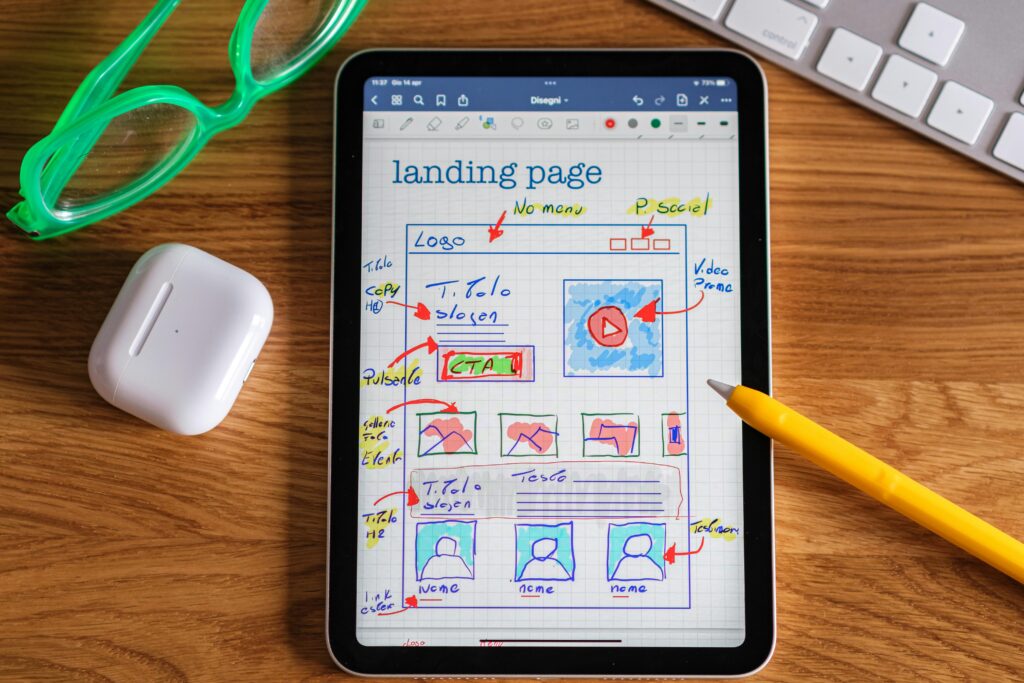
Before designing and laying out your WordPress landing page in Divi, it’s crucial to understand your target audience. Knowing who your visitors are, their pain points, and what action you want them to take is key to creating a landing page that resonates with them.
Researching Your Audience:
- Who is your target customer? Are they existing customers or new leads? Are they in a particular niche or demographic?
- What are their challenges, goals, and motivations? Understanding these elements will help you create a landing page that speaks directly to their needs.
- Tools like Google Analytics, surveys, and customer feedback can provide valuable insights into your audience’s behavior and preferences.
Creating Personas for Your Landing Page:
- Once you’ve gathered enough information about your audience, create buyer personas. For example, suppose you’re offering an eBook download. In that case, your persona might be someone who seeks industry knowledge or someone looking to solve a specific problem.
- Your landing page in Divi should be designed with these personas in mind. This will guide your messaging, visuals, and CTAs to make them more appealing and relevant.
By understanding your audience deeply, you’ll be able to craft a more effective WordPress landing page that not only attracts visitors but also encourages them to take the desired action, whether that is subscribing to a newsletter otherwise downloading a resource or for making a purchase. You can encourage them to take action rather than just thinking.
Setting Clear Goals for Your Landing Page
A well-defined goal is essential for any landing page in WordPress. With a clear purpose, your visitors may become clear and focused, leading to a higher conversion rate. When planning your landing page, ask yourself what specific action you want your visitors to take once they land on it.
Common Landing Page Goals:
- Lead Generation: Collect visitor information such as email addresses or phone numbers through forms.
- Sales: Drive visitors to purchase a product or service directly on the landing page.
- Sign-ups: Encourage users to register for an event, webinar, or newsletter.
- Downloads: Offer free resources like eBooks, guides, or software downloads in exchange for contact information.
- Other Actions: Direct visitors to download a trial version of your software, schedule a consultation, or view a demo.
SMART Goals:
- Consider setting SMART goals (Specific, Measurable, Achievable, Relevant, and Time-bound) to keep your goals clear and actionable. For example: “Increase email sign-ups by 25% in the next 30 days” or “Achieve 50 product purchases by the end of this quarter.”
- Divi makes it easy to design landing pages tailored to specific goals. Whether you’re building a sales page with a persuasive copy or a simple opt-in page with a form, Divi provides the tools you need to support your goal.
Once you’ve defined your goal, aligning your landing page design and content with that goal is essential. Every Element of your page—from the headline and copy to the images and call-to-action buttons—should aim to drive visitors toward the desired outcome.
Setting Up WordPress and Divi

Installing WordPress
Before you can start building WordPress landing pages in Divi, you must install WordPress on your website. If you don’t already have WordPress set up, don’t worry—getting started is simple.
Step-by-Step Installation Guide:
- Choose a Hosting Provider: To install WordPress, you’ll need web hosting. Choose a provider that offers one-click WordPress installation (most reputable hosts like Bluehost, SiteGround, and HostGator offer this feature).
- Install WordPress: Once your hosting is set up, most providers offer an easy way to install WordPress automatically via their control panel.
- Configure Basic Settings: After WordPress is installed, you can configure basic settings, such as setting your site title, tagline, and time zone.
Accessing the WordPress Dashboard:
- To access your WordPress admin dashboard, go to your domain and add “/wp-admin” at the end (e.g., www.yoursite.com/wp-admin). You can manage your website from here, including installing themes and plugins, editing content, and adjusting settings.
Now that you have WordPress installed, you’re ready to set up Divi and begin building your landing pages in WordPress.
Installing Divi Theme and Divi Builder
With WordPress up and running, installing the Divi theme is the next step. You must buy a license from Elegant Themes if you still need to purchase Divi. Once you’ve got your license, you can proceed with installation.
Step-by-Step Installation of Divi:
- Download Divi: After purchasing Divi, log in to your Elegant Themes account and download the theme.
- Upload the Theme to WordPress:
- Go to Appearance> Themes > Add New > Upload Theme from the WordPress dashboard.
- Upload the Divi theme ZIP file and activate it.
- Activate Divi License:
- After activating the theme, go to Divi > Theme Options in the WordPress dashboard and enter your Elegant Themes membership username and API key to activate the license.
Once Divi is installed and activated, you’ll have access to Divi Builder, the drag-and-drop editor for building powerful and customizable landing pages in WordPress.
Using Divi Builder:
- Navigating the Interface: The Divi Builder interface is intuitive and user-friendly. You can add new sections, rows, and modules to create the layout of your landing page. Each module can be customized to fit your design needs, from text and images to buttons and forms.
- Divi Builder vs. Classic Editor: Divi Builder is a visual editor, so what you see is what you get. This makes it easy to experiment with layouts and instantly see how your landing page will look.
- Live Preview: Divi lets you see real-time changes as you build your landing page. This is essential for maintaining a smooth workflow and ensuring your landing page looks just how you want it before publishing.
Now that you have Divi installed and activated, you’re ready to build your WordPress landing page using its powerful tools.
Designing Your WordPress Landing Page in Divi
Choosing the Right Layout for Your Landing Page
Your WordPress landing page layout in Divi plays a significant role in its performance. A well-structured layout improves the user experience and boosts conversions. Divi’s powerful drag-and-drop builder makes it easy to choose and customize layouts.
Popular Landing Page Layouts:
- Single-Column Layout: This layout is perfect for lead generation forms or simple offers. The single-column design eliminates distractions and guides the user’s attention to the primary CTA.
- Multi-Section Layout: If you need to include more information (such as product details, testimonials, or pricing), a multi-section layout is a great choice. Divi’s multiple section, row, and module combinations create a compelling flow of content.
- Hero Section: A hero section with a bold headline and strong CTA is essential for grabbing attention immediately. Divi’s pre-built templates often include hero sections with large images or video backgrounds.
- Grid Layout: If you want to showcase multiple products, services, or features, a grid layout allows you to organize them neatly while maintaining a visually appealing structure.
Divi Templates for Landing Pages:
- Divi offers various pre-designed templates tailored for different landing page goals. Whether you’re creating a lead magnet, sales page, or event registration page, you can easily find a template that fits your purpose. These templates are highly customizable, so you can tweak them to suit your brand’s style and needs.
Tips for Choosing the Right Layout:
- Keep Your Goal in Mind: The layout should serve your goal. For example, if you want to generate leads, opt for a design that features a clear call-to-action (CTA) above the fold and a simple form.
- Simplicity is Key: Avoid overloading the page with unnecessary sections or elements. A clean, straightforward layout makes navigating and taking action easier for visitors.
- Mobile Optimization: Make sure the layout works seamlessly on mobile devices. Since many users access websites via smartphones, ensuring your WordPress landing page in Divi looks excellent. It functions nicely across all screen sizes, which is essential.
Customizing Your Landing Page Design in Divi
Divi’s real power lies in its customization options. Once you’ve chosen the layout, you can refine every aspect of the landing page to align with your brand and message. Divi offers extensive design customization options for every module, section, and row.
Customizing Text and Fonts:
- Fonts and Typography: Typography is crucial in readability and user engagement. Divi offers a wide range of fonts, including Google Fonts, and allows you to customize font sizes, colors, line heights, and spacing.
- Headline Customization: Make your headlines stand out using bold typography, strategic colors, and larger font sizes. A compelling headline captures attention immediately, so making it visually striking is essential.
- Text Color and Contrast: Choose colors that align with your brand’s style guide. Ensure that there is enough contrast between the text and the background to enhance readability.
Customizing Images and Videos:
- Image Sizing and Placement: Divi lets you upload custom images to your landing page. Use high-quality, relevant images to create a visually appealing layout. You can control the size and placement of the images, ensuring they fit perfectly within the overall design.
- Video Backgrounds: A video background can create a dynamic, engaging atmosphere for your landing page. Divi allows you to easily insert video backgrounds into sections, rows, or even the hero section.
- Image Sliders and Galleries: If you want to showcase multiple images, Divi’s image slider module can create a slideshow that automatically cycles through your images. This is useful for showcasing products, customer testimonials, or service features.
Color Scheme and Branding:
- You should stick to your brand’s color scheme to maintain consistency. Divi makes it easy to set custom colors for your landing page. You can adjust the background, text, buttons, and other elements to reflect your brand identity.
- Use colors strategically: for example, use contrasting colors for your call-to-action buttons to make them stand out and encourage clicks.
Spacing and Alignment:
- Divi’s design tools let you control each Element’s margins, padding, and alignment. Proper spacing ensures your landing page looks clear. At the same time, well-aligned content guides the visitor’s eyes toward the most critical information.
- Negative space (“white space”) is as important as the content itself. It makes your page open and uncluttered, improving readability and user experience.
With these customization options, you can create a WordPress landing page in Divi that is visually stunning and perfectly aligned with your business goals. Divi’s flexibility allows you to create designs that look great and drive results.
Adding Key Elements to Your WordPress Landing Page in Divi
Creating Effective Calls-to-Action (CTAs)
One of the most critical elements of any landing page is the call-to-action (CTA). This button or link guides visitors toward taking the next step, whether filling out a form, making a purchase, or downloading a resource. A well-crafted CTA can dramatically improve conversion rates, making it a focal point of your landing page.
Best Practices for Creating CTAs:
- Action-Oriented Text: Use clear, concise action words that tell the user exactly what to do. Instead of a generic “Click Here,” try more specific CTAs like “Get Your Free Guide” or “Start Your Free Trial.”
- Placement: Position your CTA where it is most likely to be seen and clicked. Typically, it should appear near the top of the page (above the fold) and at the end of the page to capture visitors at different points in their journey.
- Design and Color: The CTA button should stand out visually from the rest of the content. Use contrasting colors to make the button pop, and keep the text short and to the point.
- Urgency and Scarcity: Phrases like “Limited Time Offer” or “Only 3 Spots Left” create urgency, prompting visitors to take action sooner rather than later.
Adding CTAs in Divi:
- Divi’s button module makes adding CTAs to your WordPress landing pages simple. You can customize the size, color, and text of the CTA button and control the hover effect (how the button looks when users hover over it).
- Divi also allows you to add CTAs within sections, rows, and columns. This means you can have multiple CTAs throughout your landing page to increase the chances of conversions.
Including Forms for Lead Generation
Lead generation is one of the primary purposes of many landing pages, and forms are essential for collecting visitor information. Divi’s built-in form module makes it easy to add contact forms, email opt-ins, and other types of forms to your landing page in WordPress.
Best Practices for Form Design:
- Minimal Fields: The more fields you require, the less likely visitors are to complete the Form. Focus on essential information, such as name and email address.
- Clear Labels: Label each form field clearly so visitors know strictly what information is required.
- Privacy Assurance: If you ask for personal information, let your visitors know their data will be kept secure. A simple message like “We respect your privacy” can help build trust.
- Confirmation Message: After a user submits the Form, display a thank-you message or redirect them to a confirmation page. This helps users feel confident that their submission was successful.
Integrating with Email Marketing Services:
- Divi’s form module allows easy integration with email marketing services such as MailChimp, Aweber, and Constant Contact. This ensures you can automatically add new leads to your email list, making follow-up easier.
- Once integrated, you can use the collected data for targeted email campaigns, helping you nurture leads and drive conversions over time.
By incorporating effective CTAs and lead generation forms into your landing page in Divi, you can significantly increase your chances of turning visitors into leads or customers.
Optimizing Your WordPress Landing Page for SEO

On-Page SEO Best Practices for Divi Landing Pages
Implementing on-page SEO best practices is important to ensure your WordPress landing page in Divi ranks well in search engines and attracts organic traffic. SEO optimization helps search engines understand your content and rank your landing page higher for relevant keywords.
1. Keyword Optimization:
- Primary Keyword Placement: Make sure to place your target keyword—WordPress landing pages in Divi—in key positions like the title, URL, header tags (H1, H2, etc.), and within the content. However, avoid keyword stuffing; keep the flow natural for readers.
- LSI Keywords: Include Latent Semantic Indexing (LSI) keywords related to your focus term. These terms are directly connected to your primary keyword and assist search engines in grasping the context of your content. Examples for this blog might include “Divi Builder,” “landing page design,“ or “opt-in forms.”
- Meta Descriptions: Write a convincing meta description that includes your target keyword. This short snippet appears in search engine results and can increase the click-through rate (CTR).
2. Content Optimization:
- High-Quality, In-Depth Content: As you’ve already planned, your WordPress landing page should be comprehensive and valuable. Search engines prioritize content that answers users’ queries thoroughly and provides real value.
- Readable Text: Use short paragraphs, bullet points, and well-structured headings to ensure your content is easy to read. You can use tools like Hemingway Editor or Grammarly to improve readability.
- Image Alt Text: Remember to add alt text for any images you use on the page. This enhances accessibility while also aiding search engines in interpreting the image’s content, boosting SEO.
3. Internal Linking:
- Linking to other relevant pages on your website can boost SEO and keep visitors engaged. For example, you can link to other blog posts or product pages related to your landing page’s content.
- Use anchor text that includes relevant keywords to enhance the SEO value of these links.
4. URL Structure:
- Ensure the URL for your landing page is short, descriptive, and contains your target keyword. For example: www.yoursite.com/wordpress-landing-pages-divi.
- Avoid long, cryptic URLs with unnecessary characters and numbers, as users and search engines favor clean, readable URLs.
5. Mobile Optimization:
- Google uses mobile-first indexing, which means the mobile version of your landing page is what Google will primarily evaluate for ranking. Since Divi’s themes and templates are responsive by default, ensure your landing page is fully optimized for mobile devices. Check font sizes, image placements, and button responsiveness for mobile users.
By following these on-page SEO best practices for WordPress landing pages in Divi, you will be well on your way to improving your search engine rankings and driving more organic traffic to your landing page.
Improving Page Speed for Better SEO Performance
Page speed is a gripping ranking factor in Google’s search algorithm. A slow-loading landing page can result in higher bounce rates, ultimately affecting your SEO performance. Fortunately, there are several strategies you can employ to optimize the page speed of your WordPress landing page in Divi.
1. Image Optimization:
- Compress Images: Bulky image files can reduce the speed at which pages load. Use tools like TinyPNG or ImageOptim to compress images before uploading them to your landing page.
- Use WebP Format: Consider using WebP image format, which provides high-quality images at smaller file sizes than traditional JPEG or PNG formats. Divi supports WebP images, making it easy to implement.
- Lazy Loading: Divi enables lazy loading for images, which means images are only loaded when they enter the viewport (the page area visible to the user). This reduces the opening page load time.
2. Minifying CSS, JavaScript, and HTML:
- Minification reduces the size of CSS, JavaScript, and HTML files by removing unnecessary spaces, comments, and characters. This can significantly improve the loading time of your WordPress landing page.
- Use plugins like Autoptimize or WP Rocket to automatically minify and combine files. After implementing these changes, test the landing page to ensure everything still functions properly.
3. Caching and Content Delivery Networks (CDNs):
- Caching: Caching stores a static version of your landing page, reducing the load time for repeat visitors. Use caching plugins like WP Super Cache or W3 Total Cache to improve your page’s speed.
- CDNs: A Content Delivery Network (CDN) stores your website’s content across multiple servers worldwide. When a user visits your landing page, the CDN serves the content from the server closest to them, improving load times. Popular CDNs include Cloudflare and KeyCDN.
4. Reducing Server Response Time:
- The time it takes for your server to respond to requests plays a critical role in page speed. Choose a reliable hosting provider with fast server response times, especially for WordPress sites using resource-intensive themes like Divi.
- Consider using managed WordPress hosting if you’re looking for a solution optimized for speed and performance. Hosts like Kinsta or WP Engine offer excellent performance for WordPress websites.
By optimizing the page speed of your landing page in Divi, you’ll improve the user experience and SEO performance, ultimately leading to better rankings and higher conversions.
A/B Testing and Analyzing Your Landing Page Performance
How to Conduct A/B Testing for Your Landing Page
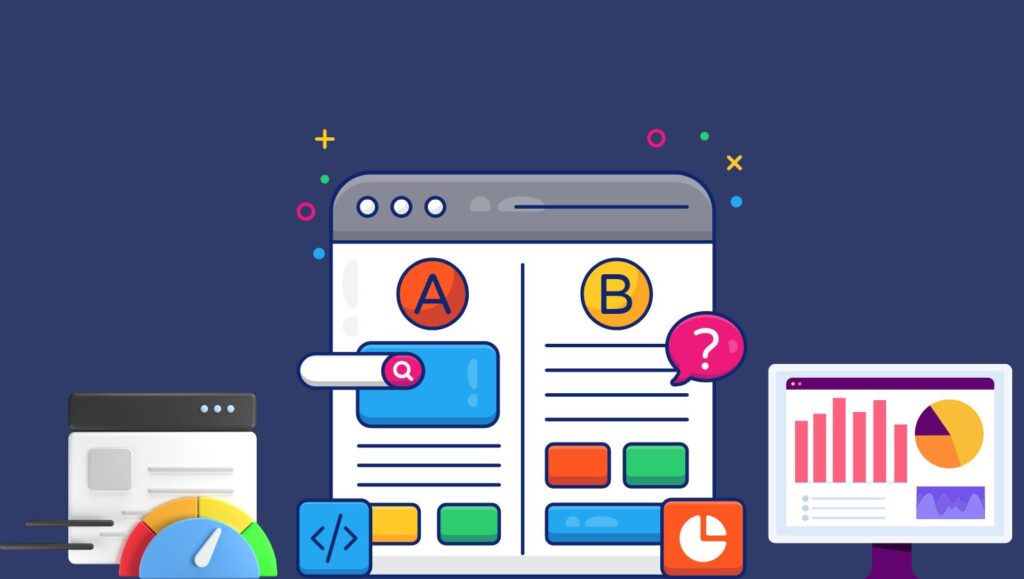
A/B testing (also known as split testing) involves creating two versions of your WordPress landing page and testing them to see which performs better. It’s essential to optimize your landing pages for better conversion rates.
Steps to A/B Test Your Landing Page:
- Choose a Metric to Test: Before you start, decide which metric you want to improve, such as click-through rate (CTR), form submissions, or product purchases.
- Create Variations: Duplicate your landing page in Divi, making only one change at a time between the versions. You can use Divi’s built-in split testing feature (Divi Leads) to run tests on other design elements.
- Test One Element at a Time: To get meaningful results, test one Element simultaneously. For example, test two different headlines or CTA buttons. Changing too many elements at once makes it harder to pinpoint which change caused the difference in results.
- Analyze the Results: After a set period, analyze the results using Divi’s built-in analytics or tools like Google Analytics to see which version of the landing page generated the most conversions.
A/B Testing Tips for Better Results:
- Run Tests on Significant Traffic: To ensure the results are statistically significant, run your tests on enough traffic. Aim for at least a few hundred visits to each variation before concluding.
- Don’t Stop After One Test: Continuous A/B testing can help refine and optimize your landing page over time. After testing one Element, move on to the next. Over time, minor optimizations can lead to significant improvements in conversion rates.
Using Analytics to Track Your Landing Page’s Performance
Once your WordPress landing page is live, tracking its performance is crucial to see how well it’s achieving your goals. Divi integrates with tools like Google Analytics, making tracking metrics like bounce rate, average session duration, and goal completions easy.
Key Metrics to Track:
- Conversion Rate: The percentage of visitors who take the desired action (e.g., fill out a form and make a purchase).
- Bounce Rate: The proportion of visitors who exit your page without taking any action. A high bounce rate may suggest that your landing page isn’t aligning with users’ expectations.
Average Session Duration: The typical amount of time users stay on your page. Longer sessions generally reflect that your content is both engaging and valuable to your audience.
- Exit Rate: This shows the percentage of visitors who leave the site after visiting your landing page. If this rate is high, it could signal that visitors aren’t finding what they need.
By continuously monitoring performance and running A/B tests, you can keep optimizing your WordPress landing page in Divi for better results.
Integrating Third-Party Tools with Your WordPress Landing Page in Divi
Using Email Marketing Tools to Capture Leads
A crucial aspect of any landing page is lead generation. To effectively capture leads and nurture them, integrating your landing page in Divi with email marketing tools is a game changer. Connecting your landing page with email marketing services lets you automatically collect email addresses and add them to your subscriber list.
Popular Email Marketing Tools to Integrate:
- Mailchimp: One of the most popular email marketing tools, Mailchimp integrates easily with Divi. The Mailchimp module in Divi makes it simple to integrate opt-in forms into your landing page. Customize the form design to match your branding, and start collecting emails for newsletters, offers, and promotions.
- ConvertKit: ConvertKit is another excellent email marketing tool for landing pages. It offers an easy-to-use form builder and automated workflows for nurturing your leads. Divi makes it easy to integrate ConvertKit with a simple form embed.
- ActiveCampaign: This tool allows you to set up complex automation sequences to target your landing page visitors with personalized email campaigns. ActiveCampaign integrates seamlessly with Divi through third-party plugins or Zapier.
- AWeber: AWeber is known for its straightforward integration and reliable email delivery. Adding AWeber opt-in forms to your Divi landing page is easy, enabling you to capture leads and send follow-up emails.
Best Practices for Email Opt-In Forms:
- Use a Clear Value Proposition: When designing your email opt-in Form, clearly communicate what visitors will receive in exchange for their email address. Whether it’s a free eBook, discount, or newsletter, the offer should be compelling enough to encourage visitors to share their email.
- Keep the Form Simple: To increase conversions, limit the number of fields in your opt-in Form. For example, asking only for an email address is often sufficient and reduces friction.
- Test CTA Buttons: Similar to your primary CTA, the CTA within the email opt-in form should be eye-catching. Experiment with button text like “Get My Free Guide“ or “Subscribe Now“ to see what works best for your audience.
Integrating these email marketing tools with your WordPress landing page in Divi allows you to automate the lead capture process and begin nurturing prospects immediately.
Integrating Analytics Tools to Track Landing Page Performance
Tracking your landing page’s performance in Divi is essential for optimizing it. Integrating analytics tools allows you to monitor key metrics such as traffic, bounce rates, conversion rates, and user engagement. These insights are crucial for understanding how visitors interact with your page and how you can improve it.
Top Analytics Tools for Tracking Your Landing Page Performance:
- Google Analytics: Google Analytics is the most popular and comprehensive analytics tool. It allows you to track every aspect of your landing page performance. You can set up goals to track conversions, analyze user behavior, monitor bounce rates, and more.
- Tracking Conversions: Use Google Analytics to track specific actions on your landing page, such as form submissions, button clicks, or product purchases. Set up goal funnels to track each step of the conversion process.
- Behavior Flow Analysis: Google Analytics provides a visual flow of how users navigate your landing page. This helps identify drop-off points and areas where users may abandon the page.
- Hotjar: Hotjar provides heatmaps and session recordings showing where visitors are clicking and scrolling and where they might be getting stuck. By integrating Hotjar with your landing page, you can gain insights into user behavior and optimize the page layout.
- Google Tag Manager: Google Tag Manager simplifies adding and managing tags for tracking pixels, such as Facebook Pixel or Google Ads Conversion Tracking. This tool lets you quickly implement and manage multiple analytics tags without directly modifying the website’s code.
- Divi Leads: If you’re running A/B tests (as discussed earlier), Divi Leads integrates seamlessly with your WordPress landing page to provide detailed testing results, including conversion rates and overall performance.
Key Metrics to Track for Landing Page Optimization:
- Bounce Rate: A high bounce rate indicates that users leave the page quickly. Use this metric to identify pages that need improvement, such as slow loading times, poor design, or confusing messaging.
- Conversion Rate: Track the percentage of visitors who complete the desired action, such as submitting a form or purchasing. This is one of the most important metrics to evaluate the success of your landing page.
- Time on Page: The amount of time users spend on your landing page can indicate whether your content is engaging. Low time on a page might mean that visitors need help finding what they need, or the page needs to be optimized for user engagement.
- Click-through Rate (CTR): If your landing page includes CTAs, CTR measures how many people clicked the CTA compared to the total number of visitors. This can help you understand how compelling your offer is.
Improving Conversion Based on Analytics Insights:
- Consider revisiting the page design, messaging, or CTA buttons if you notice a high bounce rate or low conversions. Analytics tools can help you pinpoint which elements of the page need attention.
- A/B testing (discussed earlier) can be combined with analytics to test different versions of your landing page and see which ones perform best.
By using these analytics tools to monitor and optimize your WordPress landing page in Divi, you can continuously improve its performance and achieve higher conversions.
Conclusion: Best Practices for Creating a High-Converting WordPress Landing Page in Divi
Recap of Key Takeaways for Building a Successful Landing Page
In conclusion, creating a high-converting WordPress landing page in Divi involves combining design best practices, SEO optimization, strategic CTA placement, and continuous performance tracking. Here’s a quick recap of the essential steps to build a successful landing page:
- Choose the Right Layout: Select a layout that aligns with your business goal, whether it’s lead generation, sales, or event registration.
- Customize for Branding and User Experience: Use Divi’s powerful design tools to customize text, images, buttons, and sections to reflect your brand’s identity and provide an engaging user experience.
- Optimize for SEO: Follow on-page SEO best practices, optimize images for faster loading, and ensure your landing page is mobile-friendly for better search rankings.
- Integrate Essential Tools: Connect your landing page to email marketing and analytics tools to capture leads, nurture them, and track performance.
- A/B Testing and Performance Analysis: Regularly run A/B tests and use analytics to track visitor behavior, improving your landing page based on data-driven insights.
Final Thoughts on Creating Effective WordPress Landing Pages in Divi
Building a high-converting WordPress landing page in Divi requires careful planning, attention to detail, and ongoing optimization. With Divi’s user-friendly design tools and powerful customization options, you can create a landing page that looks great and drives results.
Focusing on design, optimization, and performance will help you create landing pages that capture your audience’s attention and increase conversions. Whether you’re a small business owner, marketer, or eCommerce site manager, WordPress landing pages in Divi offer the flexibility and tools needed to create effective, high-converting pages.
Frequently Asked Questions (FAQ) About WordPress Landing Pages in Divi
What is a landing page in WordPress?
A landing page in WordPress is a standalone web page designed with a specific goal in mind—such as lead generation, product sales, or event sign-ups. It typically focuses on a single action with clear and compelling calls to action (CTAs). These pages are often used in marketing campaigns, ads, and email campaigns.
Divi’s drag-and-drop builder makes creating a landing page simple. This allows you to design customized, high-converting pages without needing to know how to code.
Why should I use Divi to build my WordPress landing page?
Divi is one of the most popular WordPress page builders, offering powerful design tools, pre-built templates, and full customization options. The key benefits of using Divi for your WordPress landing page include:
- Drag-and-drop interface: Easy to use, even for beginners.
- Responsive design: Your landing pages automatically adjust for mobile and tablet users.
- Real-time visual editor: You can see your changes as you make them.
- Conversion-focused modules: Divi offers built-in modules for contact forms, call-to-action buttons, opt-ins, and more.
- A/B testing: Use Divi Leads to test different versions of your landing page for improved performance.
How do I choose the proper layout for my landing page in Divi?
Choosing the proper layout for your landing page depends on your goals. Divi offers various pre-built landing page templates that you can modify based on your needs. Here’s how to choose the proper layout:
- Lead Generation: Use layouts that include opt-in forms and CTA buttons designed to capture leads and encourage email subscriptions.
- Sales Page: Choose layouts optimized for showcasing products or services with compelling descriptions, images, and CTAs.
- Event Registration: Select templates that feature forms for easy sign-ups and precise event details.
- Simple Offers or Promotions: Choose layouts with minimal distraction and focus on one product or offer.
Divi makes it easy to adapt any template to suit your specific goals.
Can I create a landing page without any coding knowledge using Divi?
Yes! Divi is designed to be user-friendly and even beginners can use it easily. The Divi Builder is a drag-and-drop interface that doesn’t require coding knowledge. You can create beautiful, responsive landing pages by simply dragging and dropping elements like text, images, forms, and buttons into place. Divi also offers advanced settings and custom CSS for those who wish to tweak designs or add additional functionality.
How do I optimize my WordPress landing page for SEO using Divi?
Here are some key SEO tips for WordPress landing pages in Divi:
- Include target keywords: Use your target keywords in strategic places like the page title, URL, headings (H1, H2), and body content. For example, use “WordPress landing pages in Divi“ throughout the page naturally.
- Optimize images: Compress images and use the correct file formats (e.g., WebP for faster load times). Remember to add alt text for SEO purposes.
- Mobile optimization: Since Divi themes are responsive, preview and adjust the design for mobile to ensure your page looks great on all devices.
- Meta tags: Use Divi’s built-in SEO options to add a custom meta description and title tag for better visibility on search engine results pages (SERPs).
- Internal linking: Link to other relevant pages to boost SEO and encourage visitors to stay on your site longer.
Following these SEO best practices ensures that your landing page ranks well and attracts targeted organic traffic.
How Should I track the performance of my landing page?
Tracking the performance of your landing page is vital for understanding how well it’s converting visitors. Some of the best ways to monitor performance include:
- Google Analytics: Set up conversion goals to track essential actions on your landing page (e.g., form submissions purchases). You can also track user behavior and identify any drop-off points.
- Hotjar: Use heatmaps and session recordings to analyze where visitors click and how they interact with your landing page.
- A/B Testing: Regularly test different versions of your page using tools like Divi Leads or Google Optimize to compare the performance of various designs, CTAs, and copies.
- Google Search Console: Use this to monitor organic search traffic and see how your landing page performs in search rankings.
You can make data-driven improvements to increase conversions by consistently monitoring your landing page performance.
What are the common mistakes to avoid when building a landing page in Divi?
While Divi makes it easy to design stunning landing pages, there are a few common mistakes that could negatively impact your page’s performance:
- Cluttered Design: A cluttered landing page can confuse visitors and distract them from the primary goal. Keep the design simple and focused.
- Slow Load Times: Pages that load slowly have high bounce rates. Optimize images, minimize code, and use caching tools to speed up your page.
- Unclear CTAs: Your call-to-action (CTA) buttons should be clear, actionable, and visible. Avoid vague language like “Click Here“ and instead use action-driven copy like “Get Started“ or “Claim Your Offer.”
- Not Optimizing for Mobile: Many users browse on mobile devices, so ensure your landing page is fully responsive and looks great on phones and tablets.
- Ignoring A/B Testing: Don’t settle for your first version of the landing page. Continuously test and improve to maximize your conversion rate.
By avoiding these mistakes and following best practices, you can create a high-converting landing page in Divi.
Can I integrate third-party tools like email marketing or analytics with Divi landing pages?
Yes, Divi offers seamless integration with various third-party tools, making it easy to extend the functionality of your landing page. Some key integrations include:
- Email Marketing Tools: Integrate with popular email marketing services like Mailchimp, ConvertKit, ActiveCampaign, and AWeber to capture leads and send automated follow-up emails.
- Analytics Tools: Connect your landing page to Google Analytics, Hotjar, and other analytics platforms to track performance and gather insights about user behavior.
- CRM and Automation Tools: Integration with CRMs like HubSpot, Salesforce, or Zapier can automate lead management and track customer journeys.
By integrating these third-party tools, you can streamline your workflow and improve the overall performance of your landing page.
How do I increase conversions on my WordPress landing page in Divi?
Increasing conversions on your WordPress landing page in Divi involves a combination of strategies:
- Clear and compelling CTAs: Your call-to-action should be action-oriented, visible, and easy to find.
- Compelling content: Ensure your content resonates with your audience. Focus on benefits, not features, and include social proof such as testimonials and reviews.
- A/B Testing: Test different headlines, CTAs, images, and layouts to see which version drives the most conversions.
- Trust Signals: Add trust signals like security badges, privacy policies, and customer reviews to help visitors feel confident about taking action on your landing page.
Implementing these strategies can boost conversions and maximize your WordPress landing page in Divi.
To read more of such blog Visit ZEIREED.