

 Shimul Chowdhury
Introduction: From Coding Confusion to Content Freedom
If you’ve ever wondered what is a CMS and why it matters for your website, you’re not alone.You’ve got a great business idea or blog concept — but the moment you try to build your website, you hit a wall of code, jargon, and frustration. You think, “Do I really need to learn HTML just to post a blog?”
That’s where the answer to what is a CMS becomes clear — a Content Management System that helps you build a website without coding.
A CMS is the unsung hero of the internet — a tool that lets anyone, from a student to a CEO, build, edit, and manage a website without touching code.
In this guide, we’ll cover everything you need to know about what a CMS is, how it works, why it’s essential for your business, and how to choose the perfect one for your goals.
Whether you’re a small business owner, marketer, or tech enthusiast, by the end of this post you’ll know exactly how to harness the power of a CMS to simplify your web presence and grow your brand online.
What Is a CMS (Content Management System)?

To put it simply, what is a CMS? It’s software that lets you create, edit, and publish digital content without touching code. One of the biggest reasons people search for what is a CMS is because they want to simplify their digital workflows. A CMS does exactly that.
Think of It Like This:
A CMS is your website’s “brain.” It controls everything from how your site looks to how it functions. You log into a simple dashboard (like you would on Facebook or WordPress), write your content, upload your images, and hit “Publish.” The CMS handles the rest behind the scenes. Once you understand what is a CMS, the rest of the web-building process becomes far less intimidating.
A typical CMS has two main components:
- CMA (Content Management Application) — The front-end dashboard where you create and manage your content.
- CDA (Content Delivery Application) — The engine that stores your content, organizes it, and displays it correctly to users.
Real-World Analogy
If your website were a restaurant:
- The CMA is your kitchen — where you prepare the dishes (content).
- The CDA is your waitstaff — delivering that content beautifully to your guests (visitors).
No coding needed. No technical hurdles. Just creativity and control.
Why Use a CMS? 7 Reasons Businesses and Creators Love It
Whether you’re running a blog or managing a large corporate site, a CMS can save you time, money, and stress. When exploring what is a CMS and how it works, you’ll quickly realize that not all CMS platforms are the same.
Here’s why:
Ease of Use
Modern CMS platforms like WordPress, Wix, and Shopify are intuitive. You can drag, drop, and publish content without technical training.
“If you can use Microsoft Word, you can use a CMS.”
Cost-Effective Website Management
Building and maintaining websites manually requires developers — often at high hourly rates. CMSs empower you to make updates yourself, significantly cutting costs.
Fast Content Updates
Want to announce a sale or publish a new article? You can update your site in minutes — no waiting for a developer’s schedule.
SEO & Marketing Integration
CMS platforms come with SEO tools and plugins — like Yoast SEO for WordPress — that help you optimize titles, meta descriptions, and URLs.
Scalability
You can start small and grow big. A CMS handles blogs, landing pages, eCommerce, and portfolios — all under one roof.
Team Collaboration
CMS platforms allow multiple team members — writers, designers, editors — to collaborate seamlessly without conflicts.
Analytics & Insights
You can integrate analytics tools like Google Analytics or Search Console to track performance, visitor behavior, and conversions.
CMS by the Numbers
According to Statista, the CMS industry is projected to exceed $28 billion by 2029, with WordPress powering over 43% of all websites worldwide (W3Techs, 2025).
Personal Story: From Frustration to Freedom
When I launched my first blog in 2017, I coded everything from scratch — HTML, CSS, even manual links. It was time-consuming and anxiety-inducing. Every small design change felt like defusing a bomb.
Then I discovered WordPress, and everything changed. What once took hours now took minutes. I could focus on writing, creating, and connecting with readers instead of debugging code.
Years later, I helped a friend — a bakery owner in Dhaka — set up her eCommerce site using Shopify (a CMS for online stores). Within six months, she doubled her orders because she could easily add new pastries, run seasonal promotions, and track online customers.
That’s the magic of a CMS — it gives entrepreneurs freedom from frustration and full creative control.
Types of CMS Explained (With Examples)
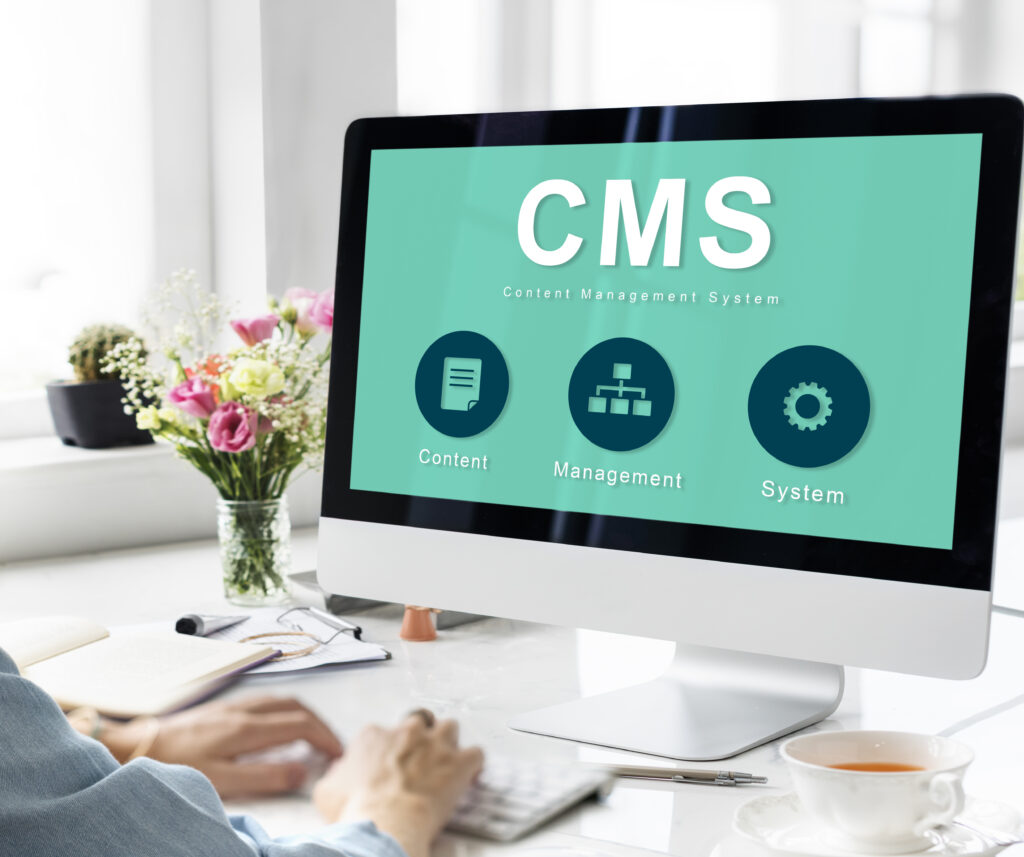
Now that you understand what is a CMS, the next question is — which one fits your business? Not all CMSs are the same. Let’s break down the main types so you can find what fits your needs.
Traditional CMS (Monolithic)
This is the most common type — think WordPress, Joomla, or Drupal.
- Everything (front-end + back-end) is connected in one place.
- Great for blogs, portfolios, and small-to-medium websites.
- Easy setup but less flexible when expanding across platforms.
Headless CMS
Think of a Headless CMS as Netflix for your content — you upload your “shows” (content) once, and they can be streamed anywhere (web, mobile, smart TVs, etc.).
- Backend (content) is separate from the front-end (design).
- Great for omnichannel businesses delivering content across multiple devices.
- Examples: Contentful, Strapi, Sanity.io.
Cloud-Based CMS
These are hosted and managed entirely online — you don’t handle any servers or installations.
- Examples: Wix, Squarespace, Shopify.
- Perfect for beginners and small businesses.
Enterprise CMS
Built for large organizations that manage multiple sites or teams — like Adobe Experience Manager, Sitecore, or Kentico.
- Highly customizable and secure, but expensive.
How to Choose the Right CMS for Your Business
Choosing the perfect CMS depends on your goals, budget, and skill level.
Ask yourself:
- What type of site am I building (blog, eCommerce, corporate, portfolio)?
- Do I need drag-and-drop simplicity or deep customization?
- What’s my technical expertise?
- How much am I willing to spend monthly?
CMS Comparison Table (2025 Snapshot)
| Platform | Ideal For | Ease of Use | SEO Tools | Cost | Scalability |
| WordPress | Blogs, Business Sites | ⭐⭐⭐⭐ | ⭐⭐⭐⭐⭐ | Low | High |
| Shopify | eCommerce | ⭐⭐⭐⭐ | ⭐⭐⭐ | Medium | High |
| Wix | Beginners | ⭐⭐⭐⭐⭐ | ⭐⭐⭐ | Low | Medium |
| Squarespace | Designers | ⭐⭐⭐⭐ | ⭐⭐⭐⭐ | Medium | Medium |
| Drupal | Developers | ⭐⭐ | ⭐⭐⭐⭐ | Low | High |
Pro Tip: Always test a CMS using their free trial or demo version before fully committing.
Challenges of Using a CMS (and How to Overcome Them)
Every tool has trade-offs. CMSs are no different.
Security Risks
Popular platforms like WordPress are prime targets for hackers.
Fix: Keep themes and plugins updated, and use SSL and firewalls.
Performance Issues
Too many plugins or heavy themes can slow down your site.
Fix: Use caching tools and a fast hosting provider.
Plugin Dependency
Plugins are great, but too many can cause conflicts.
Fix: Only install what you need and check reviews before use.
Limited Customization on Hosted Platforms
Some cloud CMSs (like Wix) restrict backend flexibility.
Fix: Know your needs upfront — if you need full control, pick an open-source CMS.
Learning Curve
Every CMS has quirks. But with tutorials and YouTube guides, it’s easier than ever to learn.
Future of CMS in 2025 and Beyond
The CMS world is evolving fast.
- AI Integration: Platforms now use AI to suggest content topics, improve SEO, and even auto-generate copy.
- Headless Revolution: More brands are adopting headless CMS to deliver content everywhere — web, app, smartwatch, and even VR.
- Omnichannel Management: Storyblok reports that 61% of companies now use multiple CMSs across teams.
- Market Expansion: Diviflash predicts a 40% growth rate by 2029 as businesses move to digital-first models.
In short: The CMS is becoming smarter, faster, and more essential than ever.
Conclusion: Your Website, Your Control
Understanding what is a CMS gives you power — to build, publish, and scale your digital presence confidently without fear or technical limits.
You don’t need to be a developer to have a professional, SEO-optimized site.
You just need the right CMS — and the willingness to start.
Key Takeaways
-
- A CMS simplifies website creation and management.
- WordPress remains the global leader, but alternatives like Wix and Shopify thrive for niche uses.
- Headless CMS platforms are the future of omnichannel content.
- Regular updates, backups, and a clear content plan ensure success.
Ready to Take the Next Step?
Start your CMS journey today — try WordPress, Wix, or Shopify free and experience the confidence of managing your own content like a pro.
Because in 2025 and beyond, your content is your most valuable digital asset.
FAQs: Everything You Need to Know About CMSs
❓1. What is a CMS in simple terms?
A CMS is a website management software that helps you create and manage content without coding. You can write posts, upload media, and design layouts all in one dashboard.
❓2. Why is it important to understand what is a CMS before choosing one?
Knowing what a CMS is helps you make smarter choices about scalability, usability, and cost efficiency for your website or business.
❓3. Is WordPress a CMS?
Yes! WordPress is the world’s most popular CMS, powering over 43% of all websites. It’s open-source, free, and supported by millions of developers.
❓4. What are examples of CMS platforms?
Some top CMS platforms include WordPress, Shopify, Wix, Squarespace, Drupal, Joomla, Contentful, and Ghost.
❓5. Why use a CMS instead of coding from scratch?
A CMS saves you time, reduces costs, and eliminates technical barriers. You can publish or edit instantly — no developer needed.
❓6. What is a headless CMS and why is it trending?
A Headless CMS separates content from design, allowing you to publish content across multiple platforms via APIs — perfect for apps, websites, and Iot.
❓7. Can a CMS help SEO?
Absolutely. Most CMSs include SEO tools, URL editors, meta fields, and integrations with Google Analytics — all essential for ranking higher.
❓8. What is the best CMS for small businesses in 2025?
If you want simplicity: Wix or Squarespace.
For flexibility: WordPress.
For eCommerce: Shopify.
For developers: Drupal or Contentful.
❓9. Is CMS software free?
Many CMSs, like WordPress, are free. You only pay for hosting and premium themes or plugins.
❓10. How secure are CMS platforms?
Security depends on updates and configurations. Open-source CMSs like WordPress are safe when maintained properly.
❓11. How do I start using a CMS?
Choose your CMS, sign up for hosting (if needed), install it, and explore the dashboard. You’ll be publishing your first blog post in under an hour!