

 Shimul Chowdhury
Introduction
In today’s digital age, having a well-maintained website is not just an option but a necessity for business success. A website acts as the storefront of your online presence. If it’s not operating smoothly, it can drive away potential customers. However, maintaining a website can often feel like an overwhelming and expensive task. For many website owners, finding a balance between quality upkeep and affordability is a common struggle.
From ensuring your site runs at optimal speed to keeping it secure from cyber threats, the responsibilities of website maintenance are numerous. Common challenges include dealing with slow loading times, managing backups, updating software, and preventing security breaches. Without the proper strategies in place, these tasks can quickly become a source of stress and financial strain.
This is where the concept of affordable website maintenance becomes vital. It’s not just about cutting costs; it’s about implementing smart, cost-effective practices that allow you to maintain your site without compromising quality or peace of mind. Whether you’re a small business owner, a blogger, or an entrepreneur, affordable maintenance ensures you can focus on growing your business rather than worrying about technical issues.
To help you achieve a stress-free and budget-friendly maintenance experience, we’ve compiled 13 essential secrets. These actionable tips will guide you in optimizing your website’s performance, security, and functionality, all while staying within your financial limits. From selecting budget-friendly hosting providers to leveraging free tools for backups and analytics, these insights will empower you to manage your website with confidence.
Get ready to unlock the secrets to affordable website maintenance and learn how to keep your site running smoothly without overspending. With the right approach, maintaining your website can be both hassle-free and cost-efficient! Let’s dive in and discover how you can take control of your website’s maintenance like a pro.
Choose a Budget-Friendly Maintenance Plan

Maintaining a website may sound overwhelming, but with the right approach, it doesn’t have to break the bank. Choosing a maintenance plan that suits your budget and needs is the first step toward affordable website maintenance. Often, website owners grapple with the choice between managing their website themselves (DIY) or opting for professional services. Both options have pros and cons, and balancing affordability and reliability is key.
Comparing DIY and Professional Maintenance Plans
If you’re tech-savvy and comfortable navigating backend systems, a DIY maintenance plan could work for you. It involves using free or low-cost tools to perform essential tasks like updates, backups, and performance checks. On the other hand, professional maintenance services bring expertise and time efficiency. These services typically handle everything from security monitoring to complex troubleshooting, leaving you free to focus on other aspects of your business.
When evaluating professional maintenance plans, look for providers offering tiered packages. Many companies provide scalable solutions tailored to different levels of service, allowing you to pay only for what you need. This can significantly reduce costs while ensuring your website remains functional and secure. Always compare packages and prioritize essentials such as regular backups, security scans, and uptime monitoring for effective, affordable website maintenance.
Tips for Selecting Cost-Effective Maintenance Services
- Research and Compare: Don’t settle for the first service provider you encounter. Research multiple providers, read reviews, and request recommendations from peers.
- Understand Inclusions: Ensure the plan covers critical aspects like updates, security, and backups. Avoid plans that bundle unnecessary services for extra charges.
- Negotiate and Customize: Many providers offer the flexibility to customize their plans. Ask for discounts on features you don’t need or negotiate to add essential services without increasing costs.
- Trial Periods: Opt for services offering a trial period so you can evaluate their effectiveness before committing long-term.
Choosing a budget-friendly plan is one of the foundational steps to maintaining a stress-free website. It equips you with the tools and support necessary for smooth operations without straining your resources. By focusing on scalable, transparent options, you ensure your strategy aligns with affordable website maintenance. In the end, remember that consistent maintenance not only saves money but also helps avoid costly downtime or security breaches in the future.
Use a Reliable Hosting Provider
Selecting the right hosting provider is one of the most critical steps in ensuring a well-functioning website. A reliable hosting provider guarantees consistent uptime, robust security, and fast loading speeds, all of which are essential for your website’s success. For those aiming for affordable website maintenance, finding a provider that balances quality and cost is key.
Importance of Uptime and Security
Your hosting provider directly impacts your website’s uptime—the time your site is available and accessible to users. Frequent downtime can frustrate visitors and harm your business credibility. Choose a provider with a proven track record of high uptime (ideally 99.9% or higher).
Security is another vital factor. A good hosting provider will offer built-in security features like firewalls, malware scans, and automated updates. These measures help protect your website from cyber threats and reduce the need for additional security solutions, keeping costs manageable.
Recommended Affordable Hosting Providers
- Bluehost: Known for its affordability and reliability, Bluehost offers plans suitable for small businesses and individuals. Their basic plans often include free SSL certificates and one-click WordPress installation.
- Hostinger: This provider combines cost-effectiveness with excellent performance, offering plans as low as $1.99 per month. They also provide weekly backups and strong security features.
- DreamHost: DreamHost offers budget-friendly shared hosting plans with unlimited bandwidth and 24/7 support, making it a great option for those focused on affordable website maintenance.
Before committing to a hosting provider, compare plans, features, and user reviews. Look for discounts on annual plans or introductory offers that can help you save money in the long run. A reliable hosting provider lays the foundation for a stress-free website management experience.
Automate Regular Backups
Backing up your website regularly is like having an insurance policy for your digital assets. Suppose your website encounters unexpected issues like hacking, server crashes, or human errors. In that case, backups allow you to restore it to its previous state with minimal downtime. Automating this process is an essential strategy for affordable website maintenance, as it saves time and reduces reliance on costly recovery services.
Why Backups Are Essential
Backups protect your data from being permanently lost. This includes your website’s content, database, and design settings. Without backups, rebuilding your site from scratch could be both time-consuming and expensive. Automating backups ensures this task is carried out consistently, eliminating the risk of oversight or human error.
Best Free and Low-Cost Backup Solutions
- UpdraftPlus: A widely used WordPress plugin that automates backups. It offers both free and premium versions, allowing you to store backups on platforms like Google Drive or Dropbox.
- Jetpack: This all-in-one plugin includes a backup feature. While the backup functionality requires a paid plan, it’s reasonably priced for the value it offers.
- BackWPup: A free WordPress plugin that enables you to schedule backups and store them on external services like Amazon S3 or FTP servers.
When setting up automated backups, ensure they are scheduled to run at least weekly or more frequently if your site undergoes regular updates. Keep copies of your backups in multiple locations (e.g., cloud storage and local drives) to maximize security. By incorporating automated backups into your workflow, you’re taking a proactive step towards stress-free, affordable website maintenance.
Optimize Website Performance Regularly
Studies show that users are more likely to leave a website if it takes more than a few seconds to load. Therefore, optimizing your site’s performance is an essential aspect of affordable website maintenance. Fortunately, there are free and cost-effective tools available to help you achieve this.
How Slow Websites Hurt Conversions
A slow website frustrates visitors, leading to higher bounce rates and lower conversion rates. Potential customers may abandon their cart or leave your site entirely if they have to wait too long for pages to load. This can harm both your sales and reputation. Furthermore, search engines like Google consider page speed to be a ranking factor. A poorly optimized website may struggle to achieve good visibility in search results.
Free Tools for Website Performance
- Google PageSpeed Insights: This tool analyzes your website’s speed and offers actionable suggestions to improve it.
- GTmetrix: A popular performance analyzer that highlights areas for optimization, such as image compression or server response time.
- Pingdom: Another great tool for monitoring page speed and identifying bottlenecks affecting your site’s performance.
To optimize performance, focus on compressing large files, enabling browser caching, and minimizing HTTP requests. Regularly checking your website’s speed will ensure it continues to perform at its best, aligning perfectly with your goals for affordable website maintenance.
Update Plugins, Themes, and Software

Keeping your website’s software up-to-date is vital for its security and functionality. Outdated plugins, themes, or core software can leave your site vulnerable to cyberattacks and cause compatibility issues. Regular updates not only improve performance but also enhance user experience, making this an essential practice for affordable website maintenance.
Security Risks of Outdated Plugins
Hackers often exploit outdated software as an entry point to compromise websites. This can lead to data breaches, defaced web pages, or even full-site takeovers. In addition, outdated plugins or themes may stop working correctly, breaking certain functionalities of your site. To avoid these risks, schedule regular updates for all components of your website.
How to Schedule Updates Efficiently
- Create a Backup First: Always back up your site before performing updates to avoid losing important data in case something goes wrong.
- Enable Automatic Updates: For WordPress users, enabling auto-updates for plugins and themes can save time and ensure your site stays secure.
- Set a Reminder: For components that don’t support auto-updates, set a recurring reminder to check for and install updates.
- Test Updates: If your site is complex or contains custom code, test updates in a staging environment before applying them to your live website.
By staying proactive with updates, you ensure that your website runs smoothly and securely, reducing the need for costly repairs. This simple but effective habit contributes significantly to stress-free, affordable website maintenance.
Monitor Website Security for Free
Website security is a top priority for maintaining a trusted online presence. It’s essential to safeguard your site from cyber threats, such as malware, phishing attacks, and hacking attempts. Fortunately, you don’t need to invest heavily to keep your site safe. With free tools and smart practices, you can ensure affordable website maintenance while protecting your digital assets effectively.
Importance of Malware Scanning and Firewalls
Malware can compromise your website’s functionality, steal sensitive data, and harm your reputation. Regular malware scanning identifies vulnerabilities and removes potential threats before they escalate. Similarly, firewalls act as a barrier, blocking unauthorized access to your site and filtering harmful traffic.
Free Security Tools to Use
- Wordfence: A powerful WordPress plugin that offers a free tier for malware scanning, firewall protection, and live traffic monitoring.
- Sucuri: This platform provides a free site-check tool for malware scanning and monitoring blocklist status.
- Google Safe Browsing: Check if your website is flagged for any security issues with this free tool.
To maintain website security, schedule regular scans and act promptly on alerts from these tools. Additionally, practice basic security measures such as using secure login credentials and updating software frequently. By incorporating these free resources into your routine, you’re prioritizing security while adhering to affordable website maintenance principles.
Use a Content Delivery Network (CDN) for speed

A Content Delivery Network (CDN) is a system of distributed servers designed to deliver website content quickly to users. It improves your website’s loading speed, enhances security, and provides a better user experience. The best part? Many CDNs offer free or budget-friendly plans, making them an excellent option for affordable website maintenance.
How CDNs Improve Load Time and Security
CDNs cache your website’s content on servers located worldwide. When a user visits your site, the CDN delivers data from the server closest to their location, reducing latency and speeding up load time. Additionally, CDNs add a layer of security by protecting your site from Distributed Denial of Service (DDoS) attacks and other malicious traffic.
Affordable or Free CDN Options
- Cloudflare: One of the most popular CDNs, Cloudflare offers a free plan that includes basic security features, DDoS protection, and performance optimization.
- Jetpack (for WordPress): This plugin includes a free CDN for images and static files, which can significantly improve load times.
- Google Cloud CDN: While not free, this platform offers affordable pay-as-you-go pricing for websites with varying traffic needs.
Using a CDN can make a noticeable difference in your website’s performance and reliability. Implementing this solution ensures a smooth browsing experience for visitors while keeping costs low, perfectly aligned with your goal of affordable website maintenance.
Reduce Unnecessary Plugins and Scripts
Too many plugins or scripts on your website can significantly impact its performance. While plugins add functionality to your site, unnecessary or outdated ones can bloat your website, slow it down, and even create security vulnerabilities. Streamlining your site is essential for affordable website maintenance, as it improves performance and minimizes potential risks.
How Bloated Sites Slow Performance
Each plugin or script added to your site requires resources to operate. This means additional HTTP requests, larger page sizes, and slower load times. Over time, an excessive number of plugins can create conflicts, leading to crashes or functionality issues. Worse, outdated plugins can become entry points for hackers, putting your website at risk.
Steps to Identify and Remove Unused Plugins
- Audit Your Plugins: Review all the plugins currently installed on your site. Identify those that are no longer in use or provide redundant features.
- Check Plugin Performance: Use tools like Query Monitor or P3 (Plugin Performance Profiler) to analyze the impact of each plugin on your site’s speed.
- Deactivate and Delete: After identifying unnecessary plugins, deactivate and delete them completely. Simply deactivating them isn’t enough, as inactive plugins can still pose security risks.
- Replace with Lightweight Alternatives: If a plugin is essential but resource-heavy, look for a more lightweight alternative to achieve the same functionality.
Reducing unnecessary plugins and scripts not only improves performance but also makes maintenance easier. Keeping your website lean and efficient aligns perfectly with affordable website maintenance principles.
Optimize Images for Faster Load Time
Images are one of the most resource-heavy elements on a website. While high-quality visuals enhance the user experience, unoptimized images can drastically slow down your site’s loading speed. To ensure your website remains fast and user-friendly, optimizing images is a must for affordable website maintenance.
Best Free Image Compression Tools
- TinyPNG: This free tool compresses PNG and JPEG images without compromising quality. It also offers a WordPress plugin for easier integration.
- ImageOptim: A free desktop application for Mac users that reduces file sizes while preserving quality.
- ShortPixel: A freemium tool that optimizes images in bulk and supports various file formats, including WebP.
How to Use WebP Format for Better Speed
WebP is an advanced image format developed by Google that provides superior compression compared to traditional formats like JPEG or PNG. By converting your images to WebP, you can significantly reduce their file size without sacrificing quality. Many free tools, like Squoosh, allow you to convert your images to WebP effortlessly.
When optimizing images, prioritize compression and resizing. Ensure that all visuals are appropriately sized for their display areas to avoid loading larger files than necessary. By doing so, you’ll enhance your website’s speed, improve user experience, and adhere to the principles of affordable website maintenance.
Keep an Eye on Broken Links
Broken links are more than just a minor inconvenience—they can harm your website’s SEO, disrupt user experience, and even damage your credibility. A broken link leads visitors to a non-existent page, leaving them frustrated and more likely to abandon your site. Regularly checking and fixing broken links is a crucial part of affordable website maintenance, as it prevents these issues without requiring costly interventions.
Why Broken Links Hurt SEO and User Experience
Search engines like Google consider the presence of broken links as a negative ranking factor. They signal poor site management, which can lower your search rankings. Moreover, for users, encountering broken links can be a frustrating experience that may discourage them from exploring your site further. This affects not only your website’s traffic but also your reputation as a reliable resource.
Free Tools to Identify Broken Links
- Broken Link Checker: A free online tool that scans your website for dead links and provides a detailed report.
- Google Search Console: This free tool from Google helps you identify crawl errors, including broken links, and offers recommendations for fixing them.
- Ahrefs Broken Link Checker: A free feature from Ahrefs that allows you to spot broken links on your site.
To address broken links efficiently, make it a habit to scan your site monthly or after major updates. Replace or redirect broken links to ensure seamless navigation. By maintaining a smooth browsing experience, you contribute to effective and affordable website maintenance while improving your site’s overall performance.
Improve Website Security with Strong Passwords
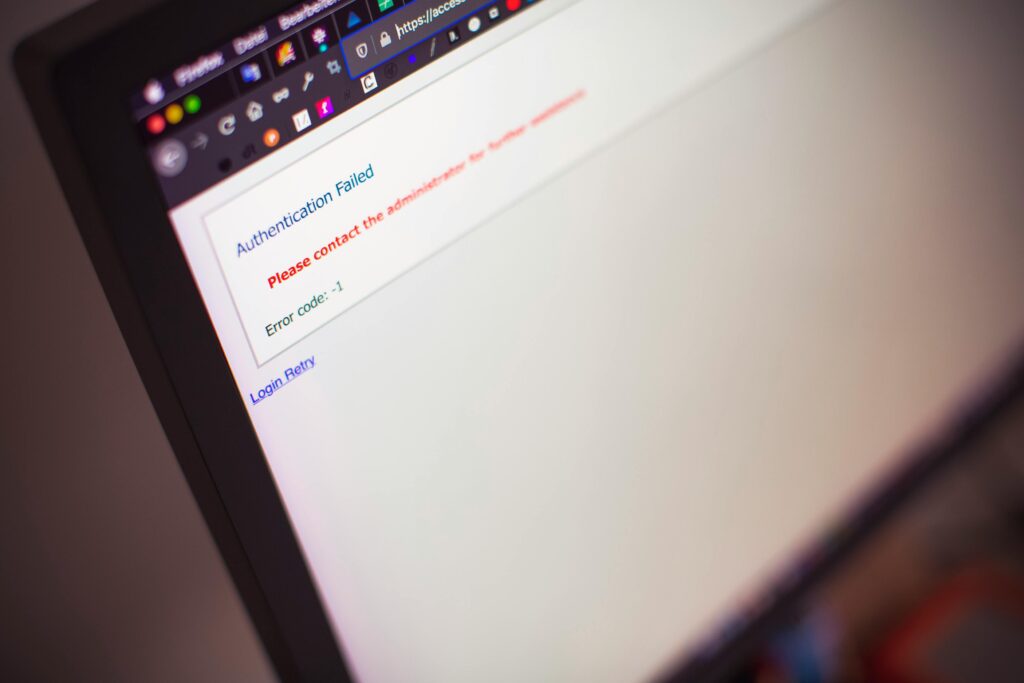
While it may seem simple, using strong passwords is one of the easiest and most effective ways to enhance your website’s security. Weak passwords make your site vulnerable to unauthorized access, putting your data and functionality at risk. Strengthening your password policies is an essential step toward affordable website maintenance that protects your site without added expenses.
How Weak Passwords Make Websites Vulnerable
Hackers often use brute-force attacks to guess passwords and gain access to your website. If your passwords are weak or reused across multiple platforms, your site becomes an easy target. Once breached, attackers can install malware, deface your site, or steal sensitive information—all of which can be costly to resolve.
Using Password Managers for Better Security
- LastPass: A user-friendly password manager that stores and generates strong, unique passwords. It offers free and premium plans.
- Dashlane: This tool helps you securely manage passwords and includes a free version for basic use.
- Bitwarden: An open-source, free password manager that provides robust features for individuals and teams.
When creating passwords, use a mix of uppercase letters, lowercase letters, numbers, and special characters. Password managers make it easy to create and store strong, unique passwords without the hassle of remembering them all.
By prioritizing strong passwords, you’re taking a simple but impactful step toward safeguarding your site. Combined with other security practices, this approach ensures a reliable and affordable website maintenance strategy that protects your digital presence.
Set Up Google Analytics & Search Console

Tracking your website’s performance is essential for making informed decisions and improving your online presence. Tools like Google Analytics and Google Search Console provide valuable insights into your website’s traffic, user behavior, and technical health—all without any cost. Integrating these tools into your workflow is a smart move for affordable website maintenance, as they help you optimize your site without added expenses.
How These Tools Help
- Google Analytics: This tool tracks visitor data, including the number of users, their geographic location, time spent on your site, and the devices they use. Understanding these metrics allows you to tailor your content and strategy to meet your audience’s needs better.
- Google Search Console: It focuses on your website’s presence in search results. You can monitor your site’s indexing status, identify technical issues, and uncover keyword opportunities to improve your SEO.
Steps to Get Started
- Sign Up for Free: Both tools are free to use. Create an account and follow the setup instructions on Google’s official pages.
- Install Tracking Code: For Google Analytics, you’ll need to add a tracking code to your website. If you’re using WordPress, plugins like GA4WP or MonsterInsights make the integration seamless.
- Link the Tools: Connect Google Analytics with Search Console for a comprehensive overview of your site’s traffic and performance.
- Analyze the Data Regularly: Make it a habit to review the data weekly. Look for patterns, such as pages with high bounce rates, and optimize them for better engagement.
By leveraging these free tools, you gain actionable insights to improve your website’s effectiveness while maintaining your focus on affordable website maintenance.
Hire Affordable Website Maintenance Experts
While many aspects of website maintenance can be handled on your own, there may come a time when professional help is needed. Whether it’s fixing a complex technical issue or managing regular upkeep, hiring experts ensures your website remains in top shape without consuming too much of your time. The key is to find skilled professionals who align with your goal of affordable website maintenance.
When to Consider Hiring Experts
- Lack of Time: Running a business involves many responsibilities and DIY maintenance can become overwhelming.
- Complex Issues: Problems like server errors, malware removal, or database optimization often require advanced technical knowledge.
- Scaling Your Website: As your business grows, so does the complexity of your website. Professionals can ensure it continues to run smoothly.
How Zeireed Can Help
Zeireed specializes in budget-friendly website maintenance services tailored to businesses of all sizes. Their plans cover essential services like backups, updates, security monitoring, and performance optimization—all at competitive prices. By outsourcing to experts like Zeireed, you can focus on your core business activities while enjoying stress-free maintenance.
Professional assistance doesn’t have to be expensive. By comparing providers and selecting only the services you need, you can maintain high-quality care for your website in line with your affordable website maintenance strategy.
Frequently Asked Questions (FAQ)
Here are some common questions about maintaining a website affordably and effectively, along with helpful answers:
What is website maintenance, and it’s importantance?
Website maintenance involves regularly updating, monitoring, and optimizing your website to ensure it operates efficiently. It’s important for preventing downtime, improving security, enhancing user experience, and maintaining search engine rankings. Consistent maintenance supports business growth by keeping your website functional and engaging.
How can I maintain my website on a budget?
For affordable website maintenance, focus on:
- Using free or low-cost tools for backups, security, and analytics.
- Choosing budget-friendly hosting providers.
- Managing tasks like updates, broken link checks, and performance optimization on your own.
- Hiring affordable experts for complex tasks or long-term maintenance needs.
How often should you back up my website?
Backup frequency depends on your website’s activity. If your site updates daily, back up your website daily. Automating backups ensures consistent and hassle-free protection for your data.
What are the best free tools for website maintenance?
Some popular free tools include:
- Google Analytics for performance tracking.
- UpdraftPlus for backups.
- Wordfence for security monitoring.
- Google PageSpeed Insights for performance analysis. These tools help achieve effective, affordable website maintenance.
How do I ensure my website stays secure?
To enhance website security:
- Regularly update plugins, themes, and core software.
- Implement malware scanning and firewalls using free tools like Wordfence or Sucuri.
- Opt for hosting providers with robust built-in security features.
What should I do if my website is running slow?
To improve website speed:
- Optimize images using free tools like TinyPNG or ShortPixel.
- Reduce unnecessary plugins and scripts.
- Use caching and a Content Delivery Network (CDN) like Cloudflare.
- Analyze your site’s performance using tools like GTmetrix or Pingdom.
When should I consider hiring website maintenance experts?
Hire experts when:
- You lack the time to manage your website regularly.
- Your website faces complex technical issues that require professional expertise.
- Your business is scaling, and you need ongoing maintenance to handle increased demands.
Is DIY website maintenance a good idea?
DIY maintenance can be effective if:
- You’re tech-savvy and comfortable using website management tools.
- Your website doesn’t require advanced technical support. However, combining DIY efforts with affordable professional services ensures a balance between cost and quality.