


Yes, you can optimize a Duda website for SEO, and Duda does more of the technical groundwork for you than most website builders. It renders pages on the server, builds your sitemap, adds canonical tags and SSL, and gives you control over titles, descriptions, URLs, redirects and schema. What it won’t do is choose your keywords, write useful content, or fix settings nobody turned on.
This guide splits Duda SEO into three parts: what the platform handles automatically, what you have to set yourself, and where Duda has real limits. It’s based on Duda’s own documentation and on the issues we fix when we rebuild and migrate Duda sites for clients.
Does Duda Support SEO? The Short Answer
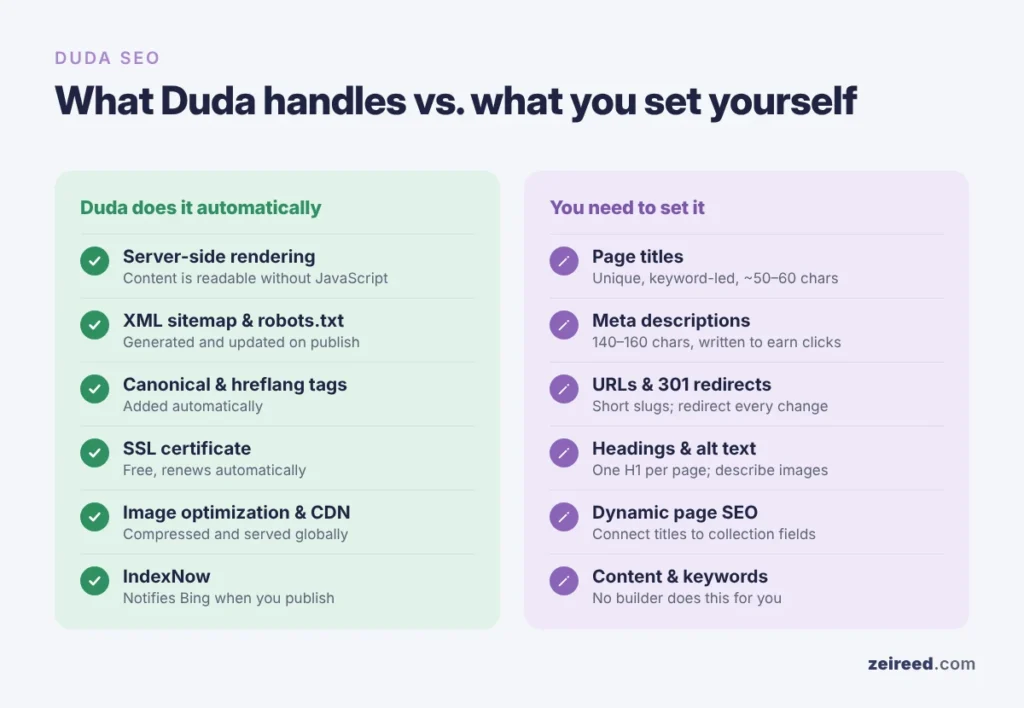
Duda is SEO-friendly out of the box. According to Duda’s documentation, every published site gets:
- Server-side rendering, so search engines can read your content without running JavaScript
- An automatic XML sitemap and a default robots.txt file
- Automatic canonical tags, plus hreflang tags on multilingual sites
- Free SSL certificates that renew automatically
- Automatic image optimization for mobile, and static files served from a global CDN
- IndexNow support, which notifies participating search engines such as Bing when you publish changes
That covers the technical base. Rankings still depend on the work Duda can’t automate: picking the right keywords, writing pages that answer real questions, structuring the site sensibly, and earning links and reviews.
Duda’s Built-In SEO Settings: What You Need to Set Yourself
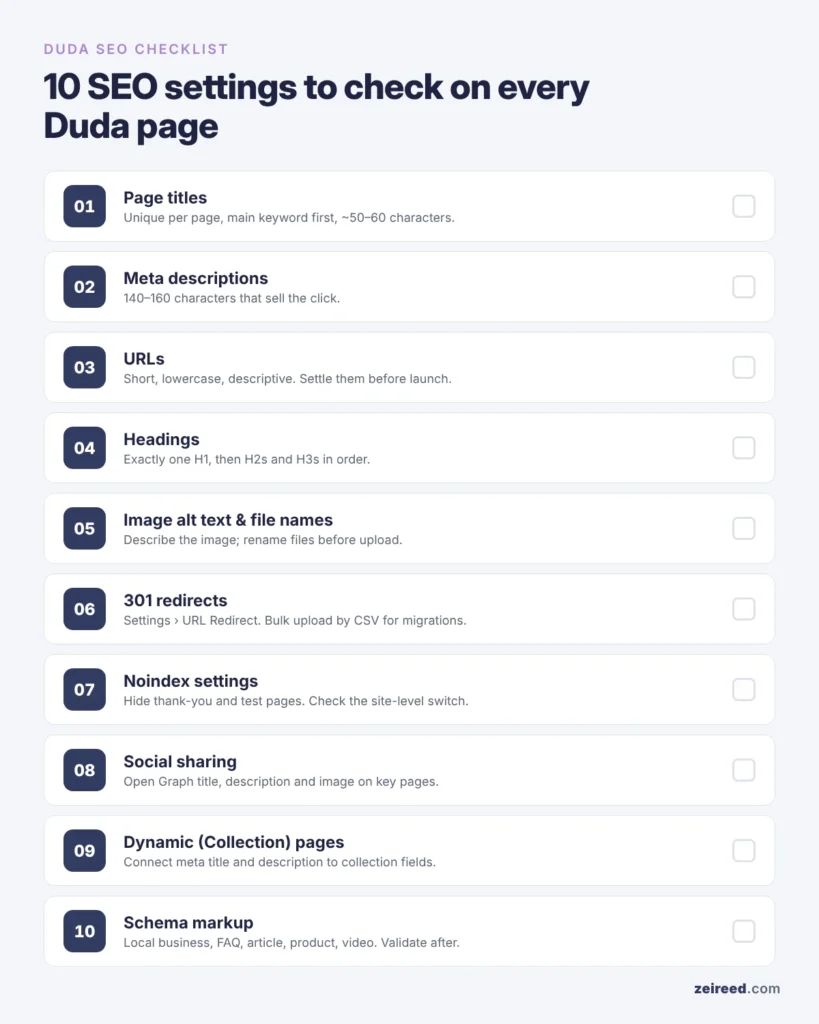
These settings live in each page’s SEO panel (in the editor, open Pages, click the gear icon next to a page and choose SEO) or in the site settings. Work through them on every important page.
Page titles
Give every page a unique title that leads with its main keyword. Keep it to roughly 50–60 characters so Google doesn’t cut it off. “Services | Company Name” tells searchers nothing; “Emergency Plumbing in Dayton, OH | Smith Plumbing” does.
Meta descriptions
Write a 140–160 character summary for each key page. It doesn’t directly affect rankings, but it is your sales pitch in the search results and influences whether people click. Duda can generate titles and descriptions with AI, in bulk; treat those as drafts and edit them, because generic descriptions get rewritten by Google anyway.
URLs
Duda lets you edit each page’s URL. Keep URLs short, lowercase and descriptive: /water-heater-repair/ beats /page-7/. Decide on URLs before launch, because every change afterwards needs a redirect.
Headings
Each page needs exactly one H1 that matches its topic, then H2s and H3s in a logical order. A common Duda problem is a designer styling a paragraph to look like a heading, or using an H1 for a decorative slogan, so search engines miss the page’s real subject.
Image alt text and file names
Describe what each image shows, in plain words, and rename files before uploading (team-photo-dayton-office.jpg, not IMG_4412.jpg). Duda’s AI can suggest alt text in bulk; again, review it rather than accepting it blindly.
301 redirects
Add redirects under Settings > URL Redirect whenever a URL changes or a page is removed. Duda supports bulk upload by CSV, which matters during a migration with hundreds of URLs. Point each old URL to its closest new equivalent, not to the homepage.
Noindex settings
Thank-you pages, test pages and thin duplicates should be set to noindex in their page SEO settings; Duda then removes them from the sitemap. Also check the site-level setting: if the whole site is set to not be indexed, the sitemap comes out empty and nothing ranks.
Social sharing
Set the Open Graph title, description and image for key pages so links shared on social platforms and messaging apps look intentional.
Dynamic (Collection) pages
If you use Duda Collections for locations, team members or services, open the dynamic template page’s SEO settings and connect the page title and meta description fields to collection fields. If you skip this, every dynamic page can end up with the same title, which looks like duplicate content to search engines.
Schema markup
Duda supports structured data for local business information, FAQs, articles, products and video. Turning an accordion widget into FAQ schema is a toggle. For anything Duda doesn’t generate, you can add JSON-LD with custom code. Validate it in Google’s Rich Results Test after publishing.
Technical SEO on Duda: Speed, Core Web Vitals and Mobile
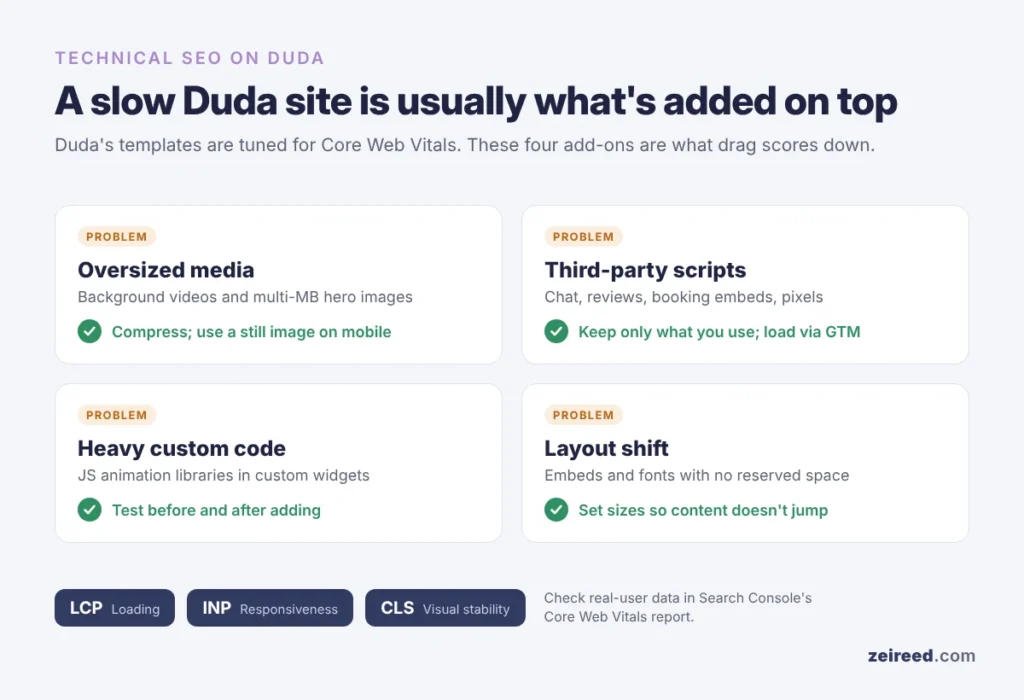
Duda says its templates and widgets are built to perform well on Core Web Vitals (LCP, INP and CLS), and that sites are automatically optimized for PageSpeed when you publish. In our experience, a slow Duda site is almost never Duda’s fault. It’s what was added on top:
- Oversized media. Full-width background videos and multi-megabyte hero images hurt load time on mobile. Compress video, or use a still image on small screens.
- Third-party scripts. Chat widgets, review carousels, booking embeds, heatmaps and several tracking pixels each add requests. Load only what you use, and route tags through Google Tag Manager.
- Custom code. Heavy JavaScript animations or libraries added through custom widgets can undo Duda’s defaults. Test before and after.
- Layout shift. Embeds and fonts without reserved space cause content to jump while the page loads, which hurts CLS.
Check real-world data in Google Search Console’s Core Web Vitals report rather than relying on a single PageSpeed test. For mobile, preview every key page in Duda’s mobile view and on an actual phone: check tap targets, font sizes, menus and forms.
Local SEO for Duda Sites
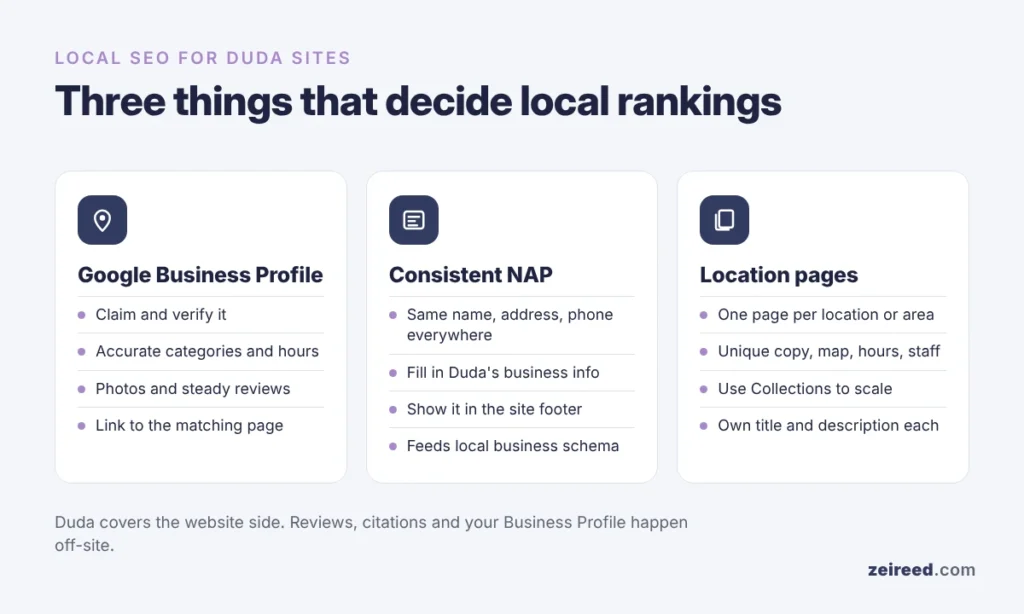
Many Duda sites belong to local service businesses, where the map pack matters as much as organic results. Duda covers the website side; the rest happens off-site.
Google Business Profile
Claim and verify your Google Business Profile, choose accurate categories, add photos, keep hours current and ask happy customers for reviews. Link the profile to the matching page on your Duda site: the homepage for a single location, or each location’s own page for multi-location businesses.
Consistent NAP details
Your business name, address and phone number (NAP) should match exactly across your website, Google Business Profile and directories. Fill in Duda’s business information settings so the same details flow into connected widgets and local business schema, then show them in the footer of every page.
Location pages
Give each location or service area its own page, with unique content: the address, a map, opening hours, staff, services offered there, directions and local reviews. On Duda, Collections and dynamic pages make this manageable at scale, as long as each page has its own title, description and real local detail. Ten pages that differ only by city name won’t rank.
What Duda Can’t Do for Your SEO
Duda handles a lot, but it has limits worth knowing before you choose it or plan a migration:
- No plugin ecosystem. You can’t install Yoast, Rank Math or similar SEO plugins. Everything happens through Duda’s built-in settings and custom code, which is simpler but less flexible than WordPress.
- robots.txt and sitemap.xml aren’t directly editable. To replace Duda’s defaults, you upload a custom file through the URL Redirect settings. Duda doesn’t validate that file, so a mistake goes live as written.
- Crawlers can still be blocked by security systems. Duda notes that a custom robots.txt doesn’t override its security layer, so some bots may receive a 403 error regardless of your rules.
- Ecommerce SEO is basic. Duda’s store add-on suits small catalogs. Large stores with complex filtering and faceted navigation are usually better served by Shopify.
- It can’t do strategy. No builder researches keywords, plans site structure, writes content or earns links for you.
Common Duda SEO Mistakes We Fix
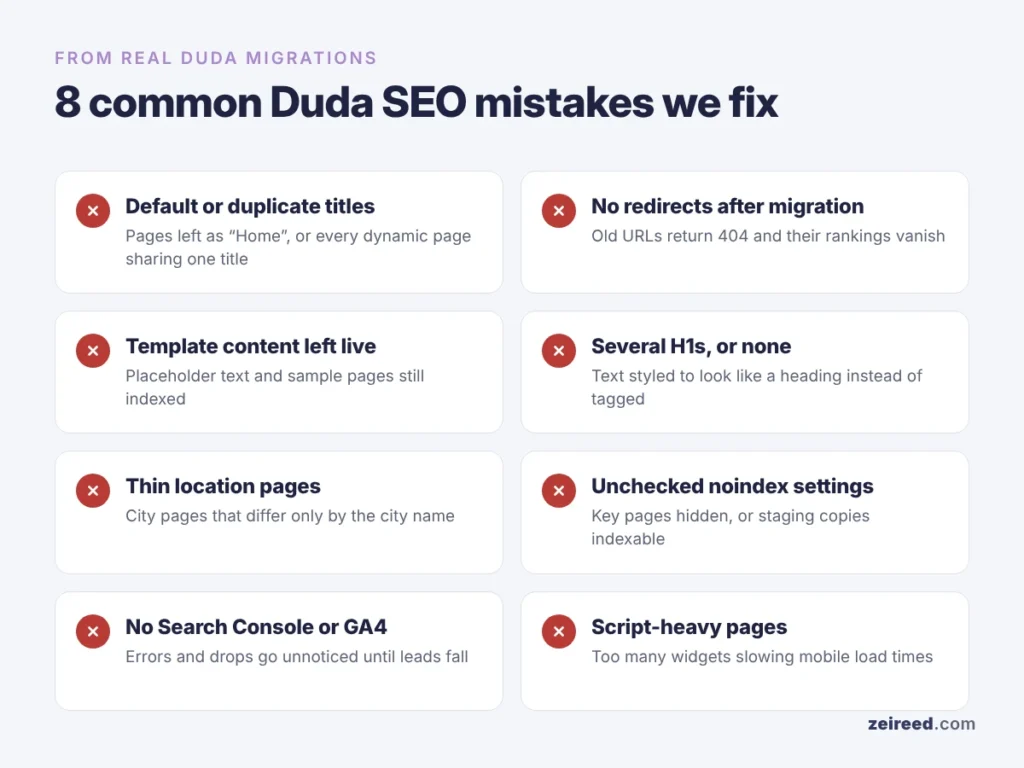
When we take over or migrate Duda sites, these are the problems we run into most:
- Default or duplicate page titles. Pages left as “Home” or “About”, or every dynamic page sharing one title.
- Missing redirects after a migration. The old site’s URLs return 404 errors, and the rankings attached to them disappear.
- Template content left live. Placeholder text or sample pages from the original template still indexed.
- Several H1s per page, or none. Usually from styling text visually instead of using heading tags.
- Thin location pages. City pages with near-identical copy that Google treats as duplicates.
- Unchecked noindex settings. Important pages accidentally excluded, or staging copies left indexable.
- No Search Console or GA4 connection. Nobody notices errors, drops or indexing problems until leads fall.
- Script-heavy pages. Too many third-party widgets slowing mobile load times.
Most of these take minutes to fix once you know they exist. The hard part is finding them across dozens or hundreds of pages.
When to Hire a Duda SEO or Development Expert
You can handle the checklist above yourself on a small site. It’s worth bringing in help when:
- You’re migrating to Duda from WordPress, Wix or Squarespace. Duda’s own guidance describes migration as largely a rebuild, and redirect mapping is where rankings are lost.
- You run multiple locations and need Collections, dynamic pages and location SEO set up properly.
- Traffic has dropped after a redesign or launch and you can’t see why.
- You need custom code: JSON-LD schema Duda doesn’t generate, custom widgets, or integrations that affect speed.
- You’re an agency managing many client sites and need consistent SEO setup on every build.
Our Duda website development team has migrated 26 multi-location funeral home websites from WordPress to Duda, including redirect plans, location pages and dynamic staff profiles. You can see examples in our Duda projects.
Free Duda SEO Audit
Not sure what your Duda site is missing? Send us your Duda URL, and we’ll return a prioritized fix list in 48 hours. No obligation: you can fix the items yourself or have us do it.
Request your free Duda SEO audit
FAQ
Is Duda good for SEO?
Yes. Duda renders pages on the server, generates sitemaps and canonical tags automatically, includes SSL and gives you control over titles, descriptions, URLs, redirects and schema. Its limits are flexibility, not basics: there’s no plugin ecosystem, and some files can’t be edited directly.
Can you use Yoast or Rank Math on Duda?
No. Those are WordPress plugins, and Duda doesn’t support third-party plugins. The equivalent settings are built into Duda’s page SEO panel and site settings.
Does Duda create a sitemap automatically?
Yes. Duda generates an XML sitemap for every published site and updates it as you add pages. Pages set to noindex are left out. You can submit the sitemap in Google Search Console and Bing Webmaster Tools.
Can you edit robots.txt on Duda?
Not directly. Duda serves a default robots.txt. To replace it, you upload a custom file through the URL Redirect settings with the source URL set to robots.txt. Duda doesn’t validate the file, so check it carefully.
Can you add schema markup to a Duda website?
Yes. Duda supports local business, FAQ, article, product and video structured data, and you can add custom JSON-LD through custom code for other types. Test it in Google’s Rich Results Test.
Is Duda better than WordPress for SEO?
Neither ranks better by default. Duda gives you a clean technical base with less maintenance. WordPress offers more control through plugins and custom code. The site that ranks is the one with better content, structure and links.


Join the conversation
No comments yet — share a question or your own experience. Your email stays private.